Bolt no-code review
You can generate your web app with a single prompt with Bolt... eventually.

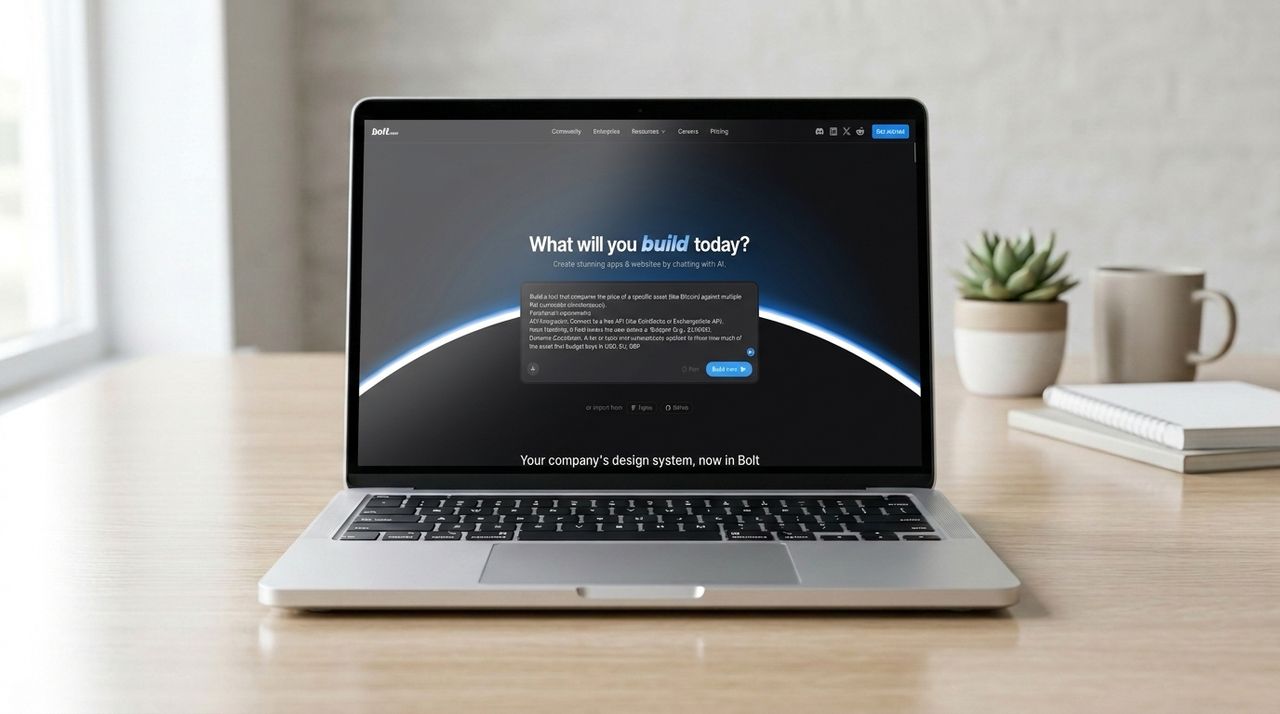
No-code AI tools take a prompt in plain English (and other languages) and create a web app or other tool. Bolt is one such AI powered development platform, which launched in late 2024 and can create a web app based on your instructions without any need for coding tools or environment.
Various no-code development tools are currently available, but is Bolt able to compete with names like Replit and Base44? To find out, we tested its no-code capabilities with a straightforward prompt, assessed its features and pricing, and compared it with the competition.
For more options, you can also take a look at our list of the best no-code platforms.
Bolt: Features
Bolt will generate a web app based on a prompt you enter. This can be an outline you have finessed elsewhere, or something developed within a threaded, iterative conversation with the AI.
Several plans are offered by Bolt, each with an expanding raft of features. The free plan gives you the facility to commence both public and private projects, with 300K tokens each day. These are used with each AI interaction, depending on the scale of the request. 1 million tokens are awarded at the start of each month, and this doesn’t roll over.
Bolt's free plan gives you website hosting (with Bolt branding) for a project and a 10MB file upload limit – useful for sharing UI designs, for example. Also on the free plan, you'll get unlimited databases and support for 333,000 web requests (visitors).
The Pro plan gives you 10 million tokens by default and removes the Bolt branding. You also get custom domain support. Additionally, unused tokens will rollover to the next month.
A Teams plan adds team-level access management, granular administration controls, centralized billing, internal sharing, and support for private NPM registries. The Custom plan for enterprise scale projects adds further features such as SSO, audit logs, compliance, custom workflows, data governance policies and a dedicated account manager for 24/7 support.
Bolt: Interface and ease of use
A cursory look at several no-code tools will reveal a pretty standardized user interface not dissimilar to ChatGPT, Gemini, or Claude, with a prompt box awaiting text input. Bolt does boast a far slicker UI than some of its competitors, making it immediately enticing.
You can create an account with your own credentials, with the now-ubiquitous Google sign in, or with GitHub. The latter will make integration with the code collaboration platform slightly more streamlined.
Entering a prompt is simple, and the generation of a project is logged in the left-hand pane. It’s all very straightforward and intuitive, and consequently extremely easy to use. However, there is a potential barrier to getting the most out of Bolt.
This no-code platform requires a specific browser, either Google Chrome (or Chromium) Microsoft Edge, or Brave. It doesn’t work with Firefox, with any attempt greeted by the message “Your current browser doesn’t support key technologies that Bolt relies on.”
Bolt: Integration and extensibility
Creating a web app from scratch with a single prompt is only part of the challenge for no-code tools like Bolt. They also need to be able to offer integration with tools that make the web app work. These might be payment processing services, login authorization, databases, for example, and perhaps even cloud integration.
You might also wish to ensure the project is effectively managed by integrating a suitable tool.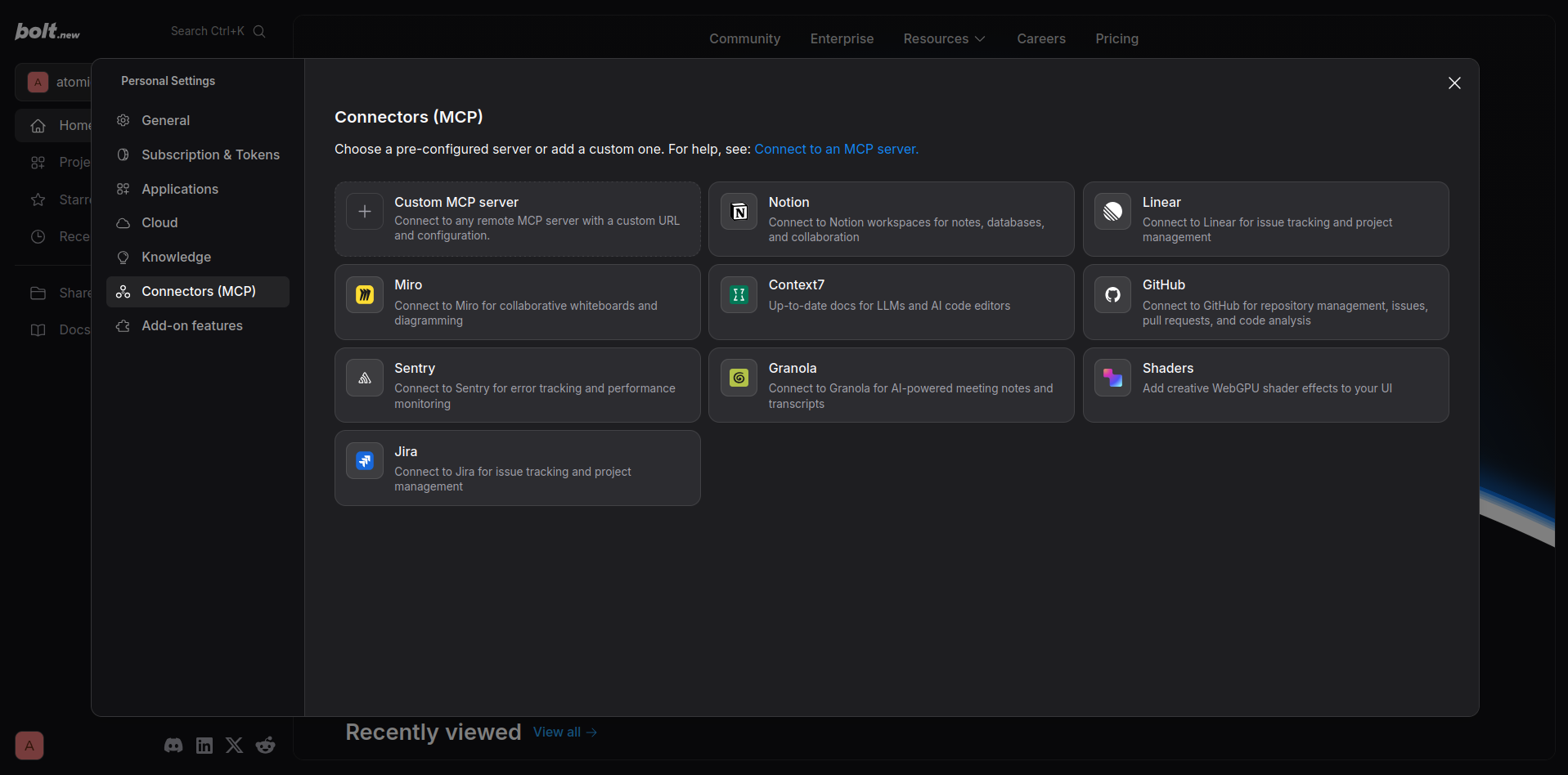
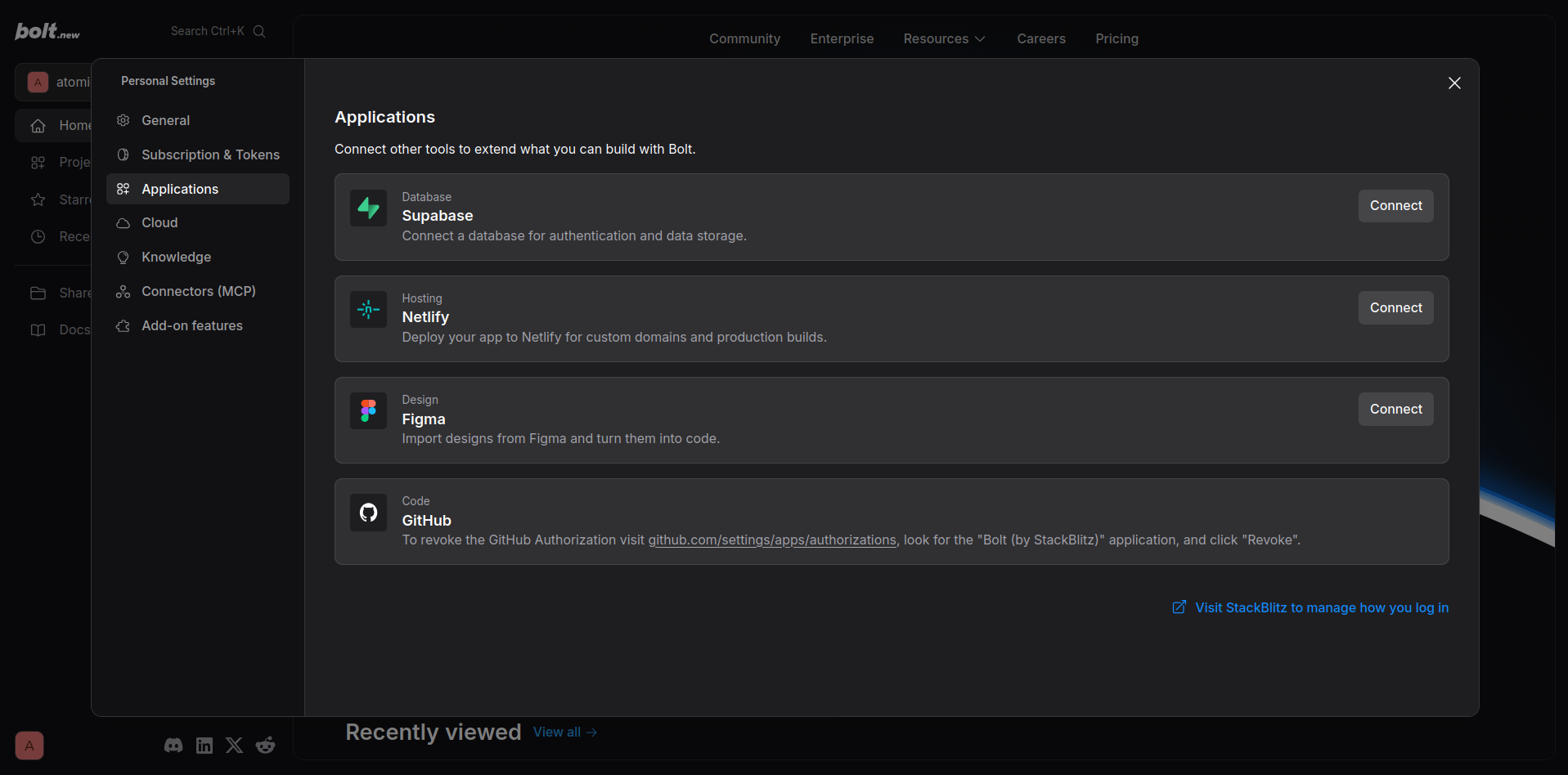
Bolt has a number of options in this area, from database support with Supabase to error tracking with Sentry and AI meeting notes with Granola. Bolt’s creators have aimed to provide a tool for many eventualities, although it should be noted that Bolt doesn’t offer Stripe or Google authorization as connectors or integrations. Instead, these are available at the prompt level, by adding a phrase such as “Add Sign-In with Google to my application.”
Bolt: Deployment and maintenance
In addition to the integrations, Bolt can be synced with GitHub. This adds an important aspect to your project’s reliability, allowing the invitation of collaborators and for the code to be reviewed. Remember, this is a no-code platform, and while the projects it creates should work well, it doesn’t mean that the code is perfect. Having the option for GitHub is useful, as it means you can take what is essentially a bootstrapped web app and polish it with the help of others.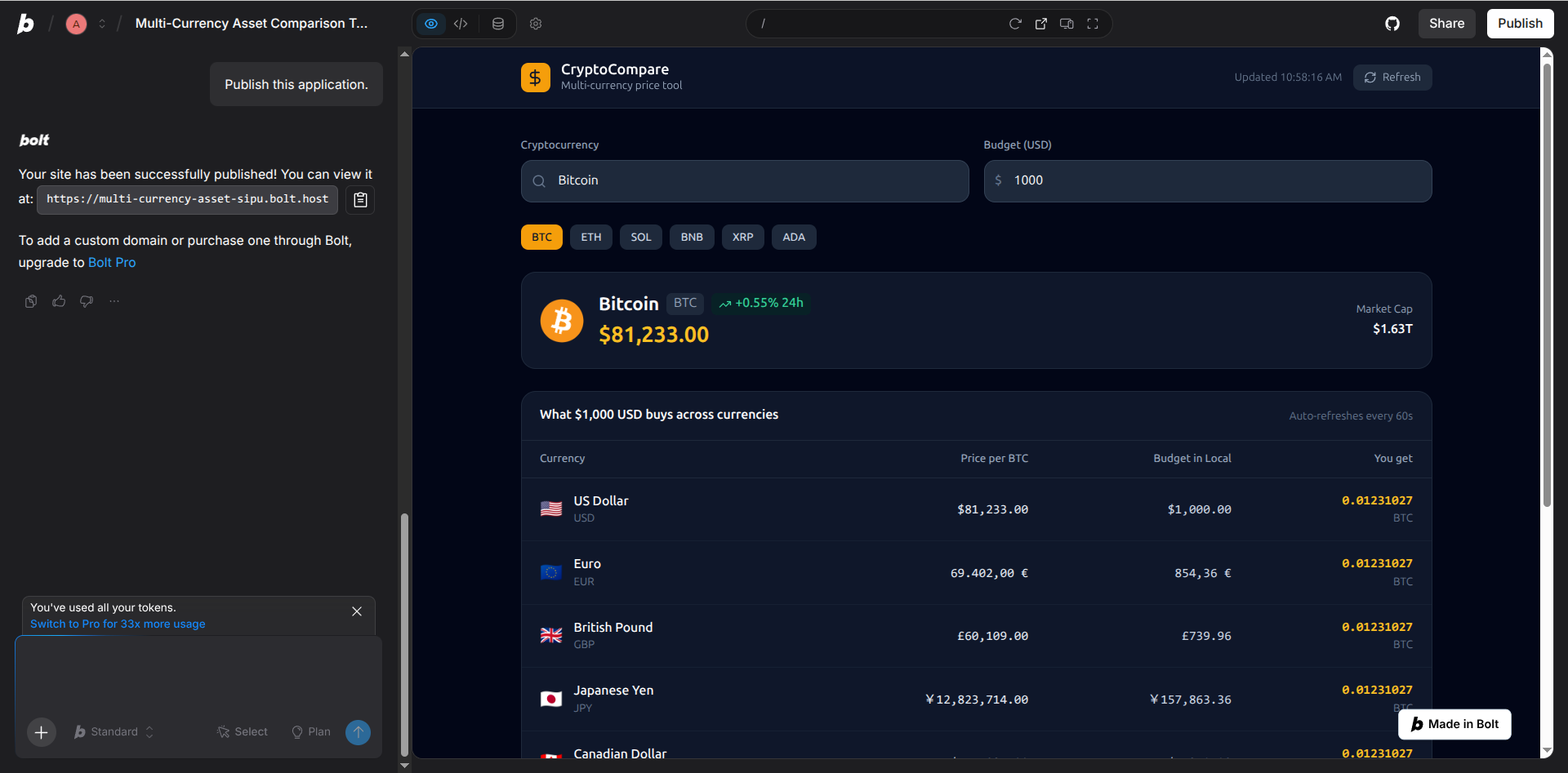
Completed projects can be published via Bolt with two clicks. A subdomain is assigned for the project to run in. The option to host your project on a custom domain can also be configured at this stage.
Creating a crypto calculator with Bolt
To gain some understanding about how effective Bolt is for no code app generation, we conducted a test to see how it handled a clear prompt to create a web app.
The web app was conceived as a cryptocurrency calculator, designed to display live conversion prices for a trio of fiat currencies and whichever cryptocurrencies are provided via the chosen API. Two free API options are presented (CoinGecko and ExchangeRate-API) which the AI should draw information from.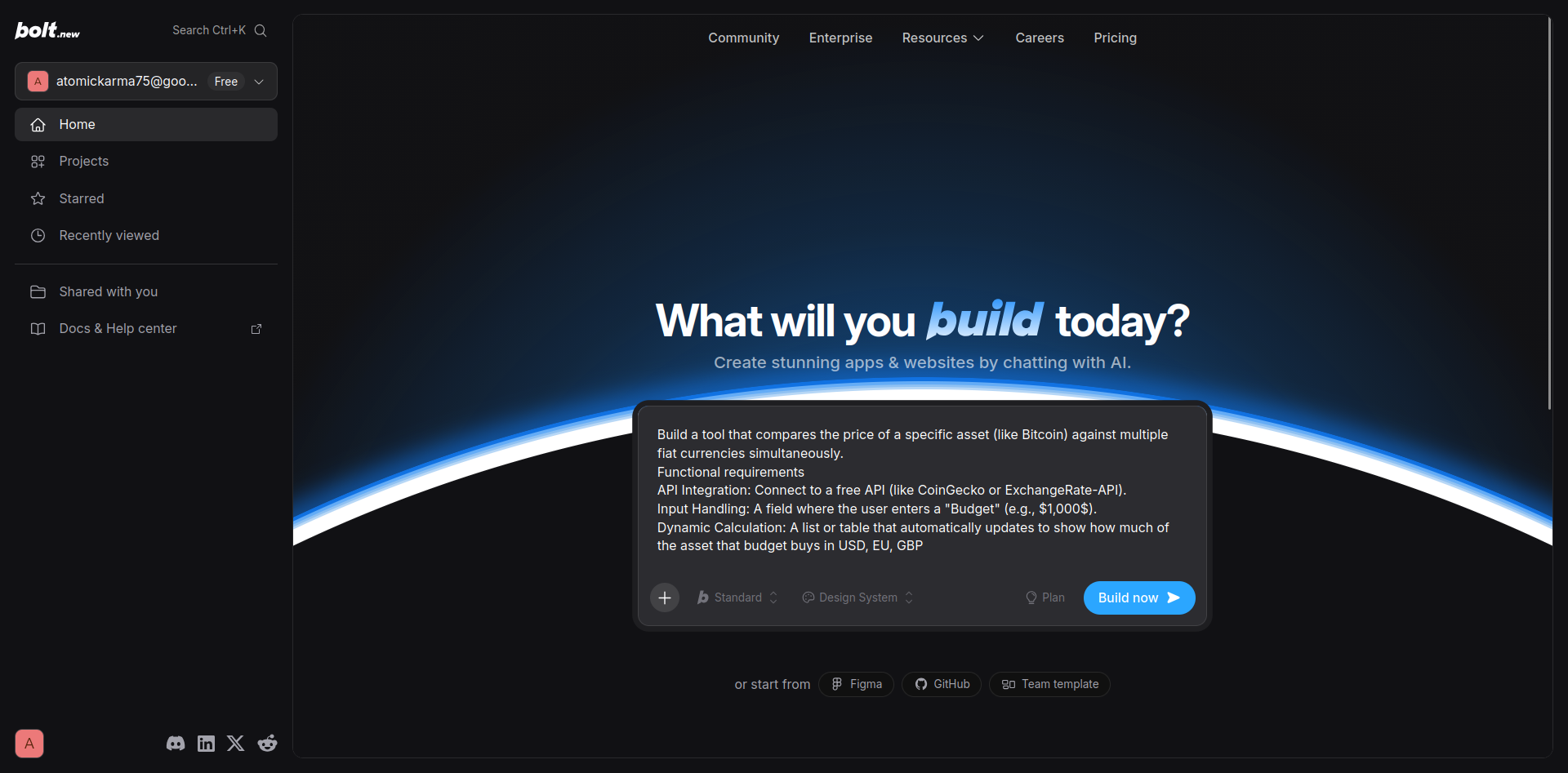
Here is the prompt we used:
Build a tool that compares the price of a specific asset (like Bitcoin) against multiple fiat currencies simultaneously.
Functional requirements:
API Integration: Connect to a free API (like CoinGecko or ExchangeRate-API).
Input Handling: A field where the user enters a "Budget" (e.g., $1,000$).
Dynamic Calculation: A list or table that automatically updates to show how much of the asset that budget buys in USD, EUR, and GBP.
Toggle Switch: A "Dark Mode" or "Refresh" toggle to test UI state management.
--
Bolt’s results with this web app were good, but not without some caveats. First and foremost, it took a little over 5 minutes to complete the task. Other tools we’ve seen have been able to generate a web app from the prompt in under 90 seconds.
In addition, Bolt went off-script, over delivering on the physical currencies provided in the web app. The prompt specifies just three: USD, EU, GBP.
Deployment is one-click, however, which means you can have a live no-code web app published in just seconds. You can view the generated web app here: https://multi-currency-asset-sipu.bolt.host/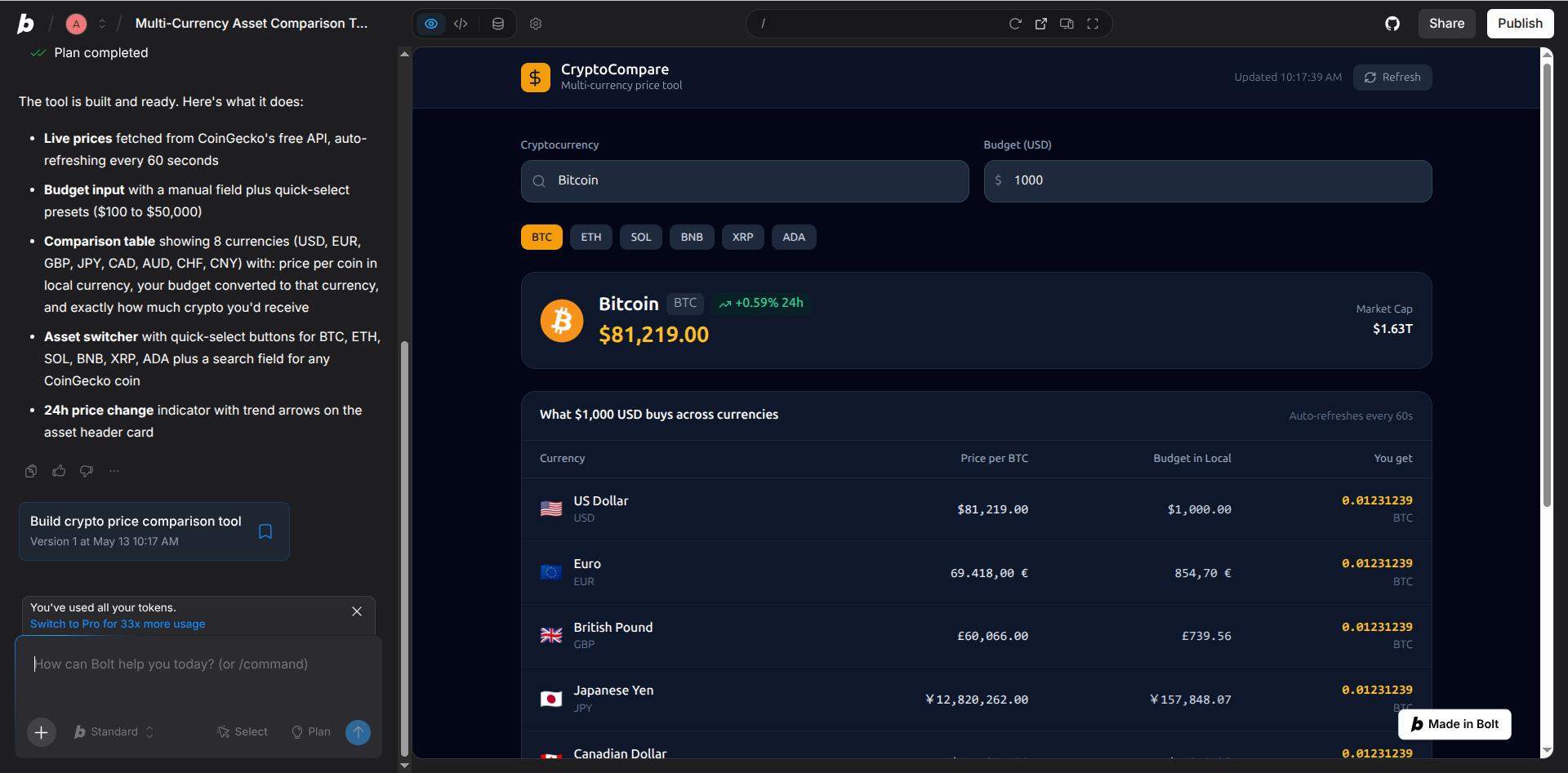
Bolt: Pricing and documentation
You can get started with Bolt for free, but for a more in-depth no-code experience, you will need to consider the Pro plan. This starts from $25/month ($18/month with annual billing) for a plan that gives you 10 million tokens. If that isn’t enough you can increase your bank of tokens, but this has a direct impact on the plan’s price. Options from 26 million to 1200 million tokens are available, with prices that increase along the way, topping out at $2000/month.
In scenarios where a lot of tokens are required, and multiple users require access to Bolt for no-code development or post-generation revision, there is the Teams plan. This is $30/month (working out at $27/month with annual billing), with a similar pricing structure for additional tokens.
Information about pricing or tiers for tokens isn't available for the Custom plan – this is aimed at enterprise-level businesses with more complex requirements.
Details about the plans and tokens can be found (along with other important information about Bolt) in the documentation. These are well written and seem to cover everything from creating a new project, editing it in your browser or opening it to collaboration on GitHub to importing from competing platforms like Lovable.
Bolt: The competition
If you searched for a list of AI no-code platforms, you would invariably come across Bolt. It is a strong option that stands out alongside the alternatives thanks to its striking user interface. However, we found faster and better no-code tools, such as Lovable, Hostinger Horizons, and Vercel v0.
They all deliver faster and/or stay on-script when a single prompt is entered. As that is our benchmark, it is important to highlight that Bolt isn’t hitting it. But Bolt does have strengths compared with the alternatives, not least the swift deployment of a live web and heavy GitHub integration.
However, we were impressed with the depth of Bolt's plans for large-scale teams.
Bolt: Final verdict
Bolt is slow, and has fewer AI tokens than competing tools in free mode. These refresh daily, but are restrictive. The 300K tokens daily limit isn’t enough to explore revisions and there is no trial option where you can enjoy the features of the Pro plan.
On the puls side, Bolt offers an excellent set of documentation, which can prove invaluable in helping you to shape the idea for a web app into a working project with all the necessary authentication, payment, database, and other features.
I’ve enjoyed using Bolt’s intuitive collection of tools, but unfortunately it doesn’t deliver a no-code web app as effortlessly and quickly as many of the alternatives.
Share
What's Your Reaction?
 Like
0
Like
0
 Dislike
0
Dislike
0
 Love
0
Love
0
 Funny
0
Funny
0
 Angry
0
Angry
0
 Sad
0
Sad
0
 Wow
0
Wow
0