Why are home servers trending? I took the plunge in an attempt to demystify the quiet tech community of tinkerers that are choosing to build, upcycle and host it themselves
More and more people are saving money and cutting down on e-waste by building home servers — and finding a ‘real sense of empowerment and independence’ along the way by being able to beat subscription fatigue.

Out of all the stories I've covered as a consumer tech journalist, subscription fatigue has been one of the most common frustrations I’ve come across — and the usual fixes of service hopping, signing up for discounted annual plans and searching for deals no longer seem to be cutting it.
Ongoing price hikes, vanishing content from catalogues and locking basic features behind paywalls have left the subscription model looking thoroughly squeezed by Big Tech — and it’s making people vote with their wallets.
We've already seen the resurgence of physical media, which has been partly fuelled by the growing frustration with 'renting' services, but there's also a small tech hobby that's starting to see a real spike in interest for similar reasons: DIY home servers.
Instead of paying an ongoing fee to access online services, many tech-savvy people are increasingly setting up their own private servers at home using nothing more than an old PC and some hard drives, in some cases.
Home servers are by no means new, but the scene has moved on from being the domain of hardcore tinkerers who wanted to do cool things with their friends online.
Google Trends data shows that even at its peak in 2007 — when Microsoft launched Windows Home Server at CES, popularizing plug-and-play storage for non-techies — self-hosting was still only ever popular among small groups of people.
But that's changing. Nowadays, interest in the topic is growing as more people experiment with old tech they already have lying around to get their privacy and digital ownership back from the tech giants, while also cutting down on e-waste.
To get a better understanding of why home servers are suddenly catching on, I spoke to DIY enthusiasts, hardware manufacturers, software providers, tech YouTubers and even one of the moderators of the r/HomeServer subreddit.
If you’re curious to learn more about home servers, keep reading to find out what they are, why the topic is trending, what they can be used for, and how you can start getting involved.
What is a home server?
The simplest way to describe a home server is to think of it just like any other computer. But unlike your everyday PC, this machine is a dedicated hub hosted on your private network that's accessible both locally and remotely.
Want to stop sending your holiday snaps to a big tech corporation and store them on a computer you own? Need one place to back up all your devices? A home server can do this in a way that functions much like your existing cloud subscriptions.
Looking to test a vibe-coded app without risking your main computer? You can absolutely use a virtual machine (VM) on your home server to simulate a safe 'computer inside a computer'. Just keep in mind that once you start building setups a small business would be proud of, you'll want to graduate from basic home servers and check out the r/HomeLab community.
New r/homelab Users Start Here from r/homelab
"A home server is really a sandbox," Zach Ferree, a tech YouTuber who runs the channel Zach’s Tech Turf with 1.98 million subscribers, says. "You can replicate the kind of environment you'd see in an actual IT department and test things out without any risk of breaking something that matters."
IT professionals often build robust home labs to safely test things like network configurations for sharing data or run demanding VMs. However, the rise of user-friendly containers — which are similar to VMs but instead of simulating the hardware, they mimic the software — has opened this world to everyday hobbyists too, who are increasingly using simplified home servers to bypass subscriptions, host their own apps, manage automations and more.
A big reason why home servers have become easier to use is because of the modern operating systems (OS) that have made them more user-friendly. Even VMs and containers are much more accessible, as these OS have replaced complex command-line setups with visual app stores.
Free, open-source server OS like Linux and TrueNas have played a major role in making that possible, according to Kris Moore, CTO at TrueNAS. "For home-lab enthusiasts and tech-savvy users, [home server OS] have provided an accessible way to explore the concept of running enterprise-grade storage solutions without requiring significant upfront investment in hardware."
This shift is largely due to how the software itself has evolved. Moore explains that TrueNAS has grown from a simple digital filing cabinet into a 'hyperconverged platform', which is essentially an all-in-one system that seamlessly handles both storage and computing.
By bridging that gap, Moore notes OS like TrueNAS SCALE make home servers "capable of running Linux containers, apps and virtual machines". "Making apps, virtual machines and containers fully supported features opened the door to far more deployment options beyond the traditional storage role [of home servers]," he added.
Why are home servers trending?
There are three major reasons why home servers are seeing a spike in interest. The first and foremost is because it's a cheaper alternative to paying for subscriptions. This is something I considered myself after running out of disc space and paying for multiple cloud subscriptions.
Betty Van, a former occupational therapist turned tech YouTuber with 1.3 million followers, hit the same wall a year ago on a much bigger scale. With a growing library of large video files from her channel Switch and Click, Google wanted to charge her close to $300 / £220 / AU$420 a month for 20TB of storage, even though the same sized hard drive costs only about $100 / £200 / AU$300 more.
Her next most common reason is to do with the entertainment services like music, movies, TV and gaming removing content to cut down on licensing costs or avoid paying residual fees. "My bills are going up and they're taking away shows — you don't have any sense of control over what is going on on the platforms," Van shared about her own experience.
"A good example would be The Greatest Showman. It was originally on Disney+ and then it moved to Hulu, and now it's nowhere. Or when Sony recently removed a bunch of movies. These events act as catalysts for people saying enough is enough, and then they look into the alternatives."
Those alternatives aren't just about building media servers either — even though it’s arguably "the primary draw", according to one of the moderators at r/HomeServers. “Home servers are absolutely not just about piracy. I believe people are realizing how much data companies hold on them and the power that comes with it.
"We expect Apple and Google to back up our photos indefinitely, but what happens if they terminate your account? Without regional data access rights, that's a lifetime of photos gone. Music streaming has the same issue. Songs and song libraries can vanish overnight, including the ones you love."
These events act as catalysts for people saying enough is enough, and then they look into the alternatives
Betty Van, YouTuber
Subscribers were reminded of that ownership gap recently when PlayStation announced it will stop releasing physical game discs from 2028, raising questions about why physical media regulations haven't caught up to digital assets, leaving buyers without a clear right to resell, trade or lend what they've 'bought'.
"Home servers have always been a niche corner of the tech world, but interest keeps growing. As companies keep chipping away at people's ownership of their own media, more people want that ownership back,” Ferree added.
Another part of this is that the boycotting of these services is being seen as a quiet revolt against Big Tech. By building local, self-hosted systems, everyday people are taking back control of their data, bypassing subscription traps and regaining their privacy — a shift increasingly championed by nonprofits like the Electronic Frontier Foundation (EFF).
Rory Mir, director of open access and tech community engagement at EEF, says: "There's the immediate revolts or protests of 'we're not going to pay this continual rent to these big operators', but then there’s a real sense of empowerment and independence that comes from not being beholden to a huge company.
"I think it's actually healthy for the internet as a whole, as an ecosystem, to have less centralized gatekeepers in that way," they added, raising the importance of healthy market competition, not being forced into upgrade cycles, avoiding outages and taking charge of your data.
What to use a home server for
Home servers are most commonly associated with home media libraries, which are a staple of the home-theatre community, but they're capable of far more than just storing and managing data.
A huge part of making that possible is the usability. Home server OS have lowered the barrier to entry by making it easier to interact with home servers. Most people will pick an OS based on the utility of their project, but home servers are becoming more plug-and-play, thanks to services like TrueNAS.
TrueNAS is paving the way for this, which is why it's one of the most popular choices in the wider home lab community. As a result, Moore has come across plenty of different use cases for home servers just by seeing what the software is being used for.
TrueNAS is used in a remarkably diverse set of use cases worldwide
Kris Moore, TrueNAS
"TrueNAS is used in a remarkably diverse set of use cases worldwide," he says. "Just when we think we've seen it all, someone surprises us with something new. Making apps, VMs, and containers fully supported features opened the door to far more deployment options beyond the traditional storage role.
"In the home lab community, those range from the obvious — media and video serving (Plex, Jellyfin), development and CI/CD platforms (Gitea, Jenkins) [for testing code] — to less expected ones, like hosting game servers.
"On the TrueNAS Enterprise side, apps and VMs give us the flexibility to meet demanding customer workloads across a variety of market segments: media asset managers running directly on the storage array, backup software such as Veeam virtual storage appliances, and platforms for ingesting security camera feeds," Moore says.
Outside of home automations, which I’ll dig into more below, you can use your home server to do a wide range of useful tasks like running apps for tasks like organizing your notes, blocking annoying ads, managing passwords, hosting your own portfolio, running your own news feed, LLMs and AI agents.
What is a home assistant server?

Home servers are also growing in popularity because they offer a way to combine the increasing number of smart home devices finding their way into our households into one management system.
They have also been found to be a great way to control and automate your setup without having to worry about forced updates, system outages or privacy.
There are dedicated smart home OS for home servers like Home Assistant — a free, open-source smart-home platform built by Paulus Schoutsen that now automates more than a million homes — that lets you control lights, security cameras, appliances and more, entirely through your own network.
Self-hosting used to be a bit intimidating, but it's really easy to get started nowadays
Paulus Schoutsen, Home Assistant
"Home Assistant runs locally in your home and doesn't require the internet to work. Most big-tech platforms grind to a halt the moment the internet drops.
"If you build your self-hosted smart home with Home Assistant, and choose devices that directly communicate with it [through protocols like Zigbee, Z-Wave or Matter compatible devices], your smart home will work with or without the internet," he says.
Schoutsen also highlights the sustainability benefits of home servers, and not just in the context of reusing old tech to set one up as part of the Right-to-Repair movement. "A device that outlives its manufacturer's interest doesn't have to become e-waste," he says.
"Because your hub and locally-connected devices don't depend on a company's servers, no one can switch them off from afar. Some Home Assistant users have decades-old smart home devices still running in their homes."
"Self-hosting used to be a bit intimidating, but it's really easy to get started nowadays. Our Home Assistant Green is an easy plug-and-play option to connect thousands of different smart home devices. It can even run other self-hosted apps."
Why home servers are suddenly so expensive
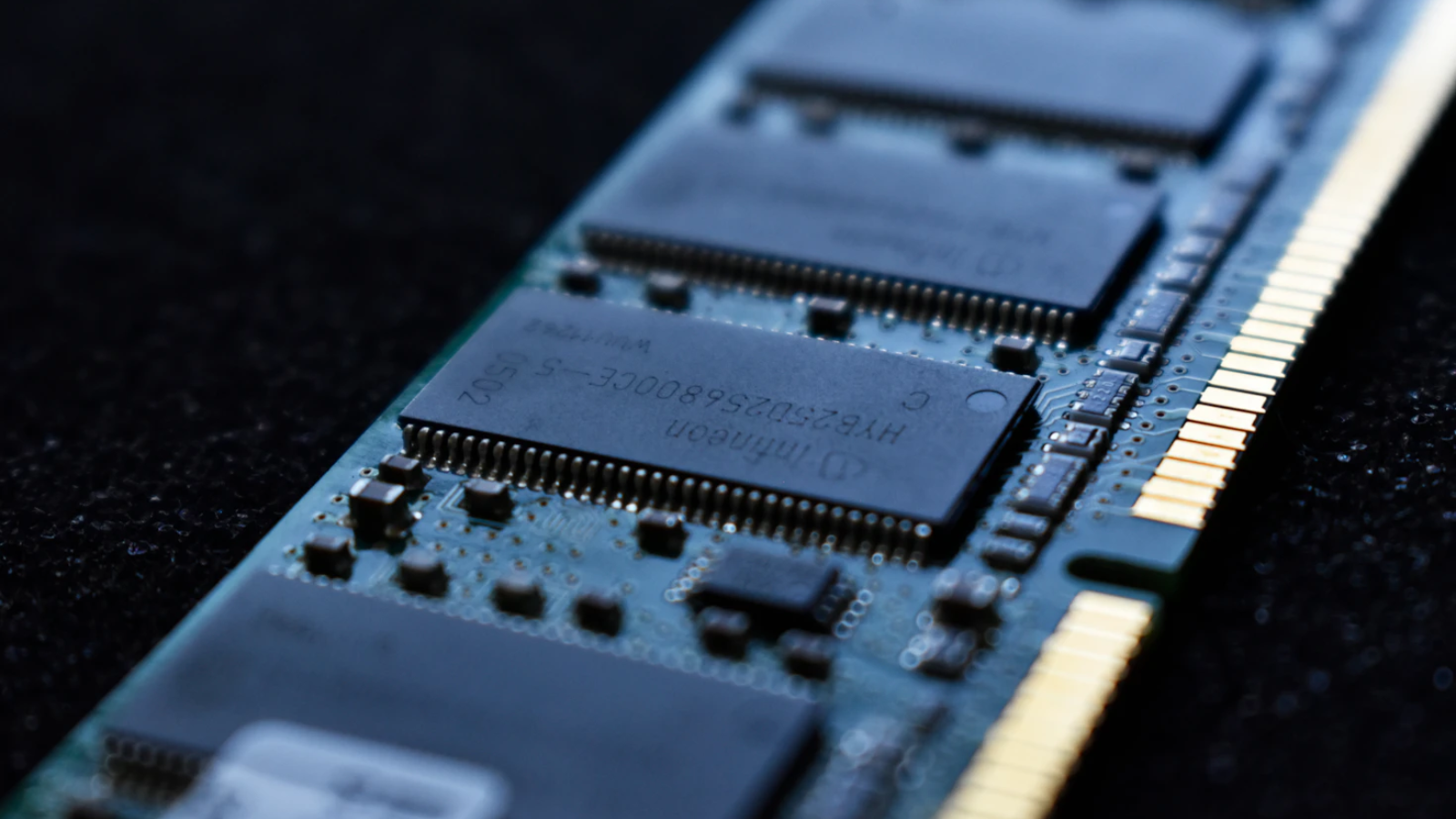
While the software for running home servers has got a lot easier to use over the years (you no longer have to live in a terminal), the hardware — despite becoming more accessible — is a lot less easy to come by at the time of writing. That's largely down to massive corporate demand for AI data centres, which has driven up RAM and storage prices for everyday hobbyists.
Then there's rising energy costs. Home servers do run around the clock, which adds up quickly as electricity bills climb, so it’s important to choose the hardware that you need to not use excess energy. As Mir suggests, "having more energy-efficient components [is a solution]."
"But then the ongoing energy as a user does involve maintenance," they say. "It does involve checking for updates. You're kind of committing to this being a hobby for ideally only a few hours a month, but it can be the least convenient time when you need to use those two hours.
"Those are the kinds of the things I would give [newcomers] a heads up about," Mir says before adding "remembering to have a proper backup system as well. I think a lot of people will treat their home server as 'I can just put all my files there and I have it backed up'. But it's best practice to have it either offsite or at least another backup, so that if your server goes kaput, you don't lose everything you've been curating there."
There are various strategies for mitigating the risk of losing data, but the gold standard at enterprise level is the '3-2-1 backup rule', which insists on three copies of the same data that are stored on two distinct types of hardware or storage tech (i.e. the cloud and a local hard drive), with one copy kept off-site. Although, many can get away with just a one backup.
The risks of home servers

Home servers can pose real network-security risks if not set up properly. Fortunately, there are a lot of precautions that you can take when, for instance, setting up remote access.
Opening the wrong ports (essentially doorways that let your data in and out) to the internet can make your home network vulnerable to scammers. Using network security tools like VPNs, mesh VPNs, tunneling services and port forwarding can help to make sure that your devices connect securely to the internet. But each have their pros and cons, according to Dr Pete Membrey, ExpressVPN's Chief Research Officer.
[Whether you need a VPN for your home server] depends on the use case and the person using it as to which will work best for them
Dr Pete Membrey, ExpressVPN
"Mesh VPNs and tunneling services try to bridge the gap between VPNs and port forwarding, and in many cases, they can be beneficial. They're often touted as being simpler and easier to use than a traditional VPN, but in my opinion, this isn't really the case for most people," he says.
"Most find it much easier to understand that when they connect to their home VPN, it’s as though they connected to their Wi-Fi at home, and the level of access that would provide (just as if a malicious actor joined your home Wi-Fi).
"That's not to say that mesh systems aren't useful — they are very powerful — but they need to be set up correctly. It depends on the use case and the person using it as to which will work best for them."
Where to get started with home servers
More than half of the DAS users we surveyed already own a Mini PC or an older computer and tend to install systems like Unraid or TrueNAS to build their own servers
TerraMaster
Whether you're looking to reduce your subscriptions to cloud services like Dropbox or want to make better use of that old laptop that's been lying around, you might be considering setting up your first home server, but what type of setup is right for you is a hard question.
There's no such thing as a one-size-fits-all home server, simply because of the various different ways to approach it. As Ferree says, "it really comes down to what you're trying to get out of it".
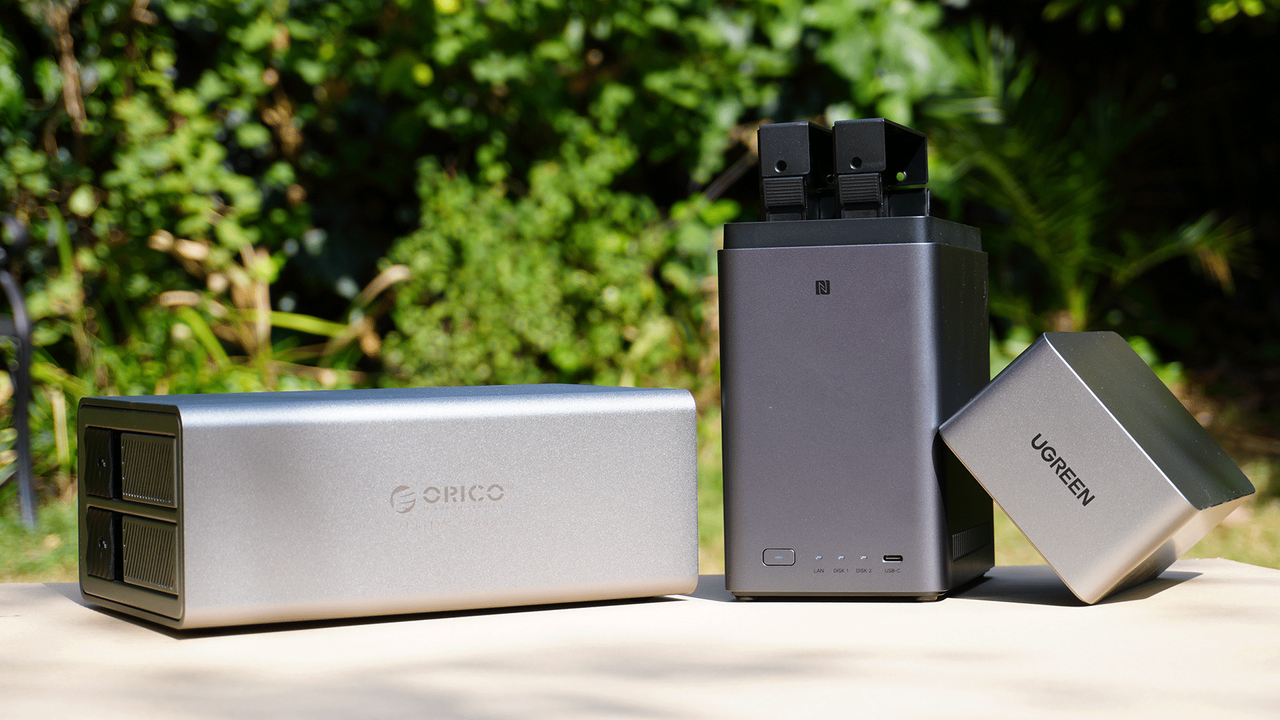
Are you looking to replace basic cloud services? An off-the-shelf (network-attached storage) NAS device might be all you need to get you up and running fast.
TerraMaster, a company that specializes in making these devices, says that a "NAS offers the advantage of a hassle-free and reliable experience — dedicated systems, built-in data protection [like RAID / JBOD], remote access, and private cloud functionality are ready to use out of the box. They are particularly suitable for users seeking convenience, stability, and hands-free operation, making them the preferred choice for most home users."
Do you want to build a personal digital hub for the household and automate your home? You might want to explore the hooking up a PC to a direct-attached storage (DAS) route.
"More than half of the DAS users we surveyed already own a mini PC or an older computer and tend to install systems like Unraid or TrueNAS to build their own servers," a spokesperson from TerraMaster said.
For beginners, figure out your goal first. Scaling from there is just adding drives or moving to a bigger enclosure once you outgrow what you started with
Zach Ferree, YouTuber
"The core driving force behind this trend is cost-effectiveness: with rising prices for NAS systems and hard drives, users are unwilling to pay for duplicate CPUs, memory, and operating systems, instead choosing to reuse existing equipment to reduce costs."
"It's a lot like building a custom gaming PC versus buying a prebuilt one," Ferree says. "An off-the-shelf NAS means you're not troubleshooting compatibility issues, and you've got real support if something goes wrong.
"Building it yourself gets you more value for your money, since you're only paying for hardware, not a markup. You also pick up real skills along the way, and that translates directly into fields like IT and cybersecurity.
"For beginners, figure out your goal first. Scaling from there is just adding drives or moving to a bigger enclosure once you outgrow what you started with."
Looking for suggestions for my home server project. from r/HomeServer
How to set up a home server in 2026
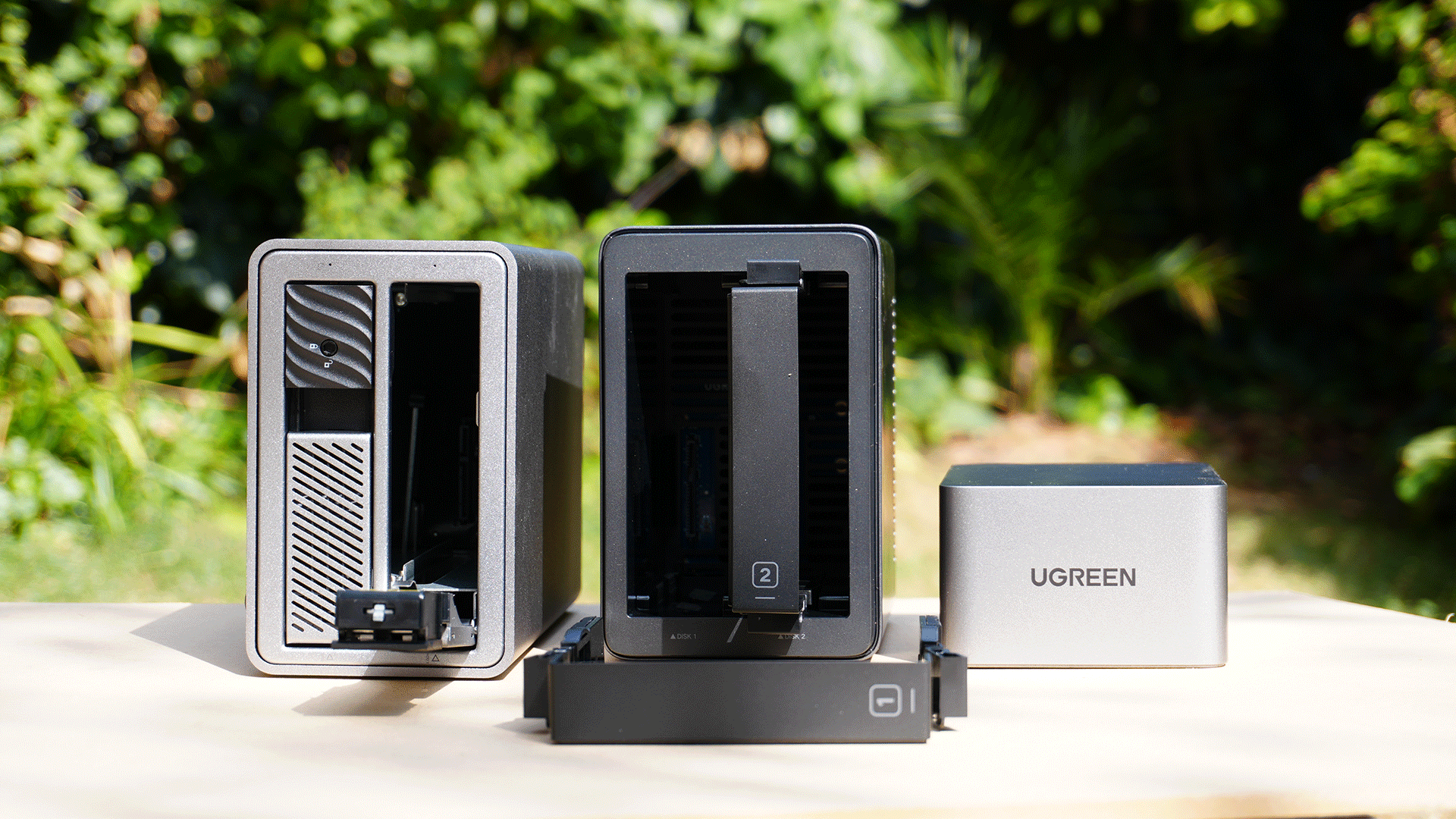
While I'm not going to walk you through exactly how make your own home server or how to build the perfect home server here (I'm only at the start of my own journey), I will share some of the advice I got from my conversations with the community based on a few different scenarios.
"Let's say you have a computer or a laptop that's the main machine you use and you want to make that into a server," Van says. "You buy some drives, like a drive bay (it's an enclosure), and you use it as storage, like a normal computer would. That way, you're not using any complicated operating systems. It's just storage for you to use.

Become a TechRadar Insider by simply clicking 'Join Now' at the top of this page. Have a question? Please email [email protected]
"So, a step above that, I would say, is going with a NAS rather than the DAS. In the beginning, you can get an off-the-shelf one because it's really easy to use. And if you decide later on, 'I want to do something more unique', they don't tell you this, but you can override your NAS's OS with [say] a Linux one."
For Van, a NAS is the easier and more affordable way to get started with your own home server. "You lose some control, but most people aren't going to be using the advanced features where you need all that control in the first place."
"Then if you go even beyond that, and you have a ton of drives, and you want to do a lot of self-hosting with a lot of firepower, then I would say go the DIY route," she says.
Picking the right hardware setup for your home server can feel overwhelming, but if we boil it down to the three main setups that Van suggests, it becomes slightly easier to work out a starting point. Take the quiz below to find out which route fits your technical comfort level and end goals.
No matter which setup you landed on, it's important to keep a close eye on your budget. Surging RAM and storage prices have made building a custom DIY server from scratch a pricey endeavor. If you don't already have older hardware ready to repurpose, Van suggests an off-the-shelf option but warns that these are pricey nowadays too.
"I would definitely wait until PC parts go down a bit," Van says. "If you are self-hosting like local LLMs, then the DIY route does make way more sense because you can plug in your GPUs and max out your RAM. There are also NAS’s that do that nowadays, but they cost a lot."
Based on what the r/HomeServers have seen the community talk about, most first-timers are opting to repurpose existing hardware these days rather than buy or DIY a "proper" NAS, according to one of the subreddit's moderators.
"That is certainly the most frequent recommendation I see here and in similar subreddits, as well as what I would personally recommend to newcomers. Mini PCs are also a good starter point, but you certainly don't need to buy one," they said.
Pretty much any computer or laptop from the last decade will work perfectly fine for a beginner
A moderator from r/Home Server
"Pretty much any computer or laptop from the last decade will work perfectly fine for a beginner. You just don't need the latest and greatest enterprise-grade equipment to run a photo server. I would say mini PCs or repurposing your own machines is more common for novices."
Ultimately, as Ferree points out, home servers are about learning by doing. "If Linux feels intimidating, spin up a VM and practice basic tasks. If a role uses something like Active Directory, build a small test environment for that.
"And on the simplest level, set up a network share everyone in your house can use. You'll learn more from that first setup than you'd expect, and you walk away with something actually useful instead of passing a USB drive around the house."
Share
What's Your Reaction?
 Like
0
Like
0
 Dislike
0
Dislike
0
 Love
0
Love
0
 Funny
0
Funny
0
 Angry
0
Angry
0
 Sad
0
Sad
0
 Wow
0
Wow
0