Watch: AirDrop via Quick Share on the Galaxy Z Fold 8 works like a dream
Want to send files between an iPhone and a Samsung Galaxy phone? AirDrop via Quick Share now works seamlessly.

Back in November, Google surprised-dropped an update for its Android-based Quick Share tool that allowed Pixel 10 users to share files to iPhones via AirDrop. Four months ago to the day, Samsung followed suit by rolling out the same functionality to the best Samsung phones, and at the time of writing, over 30 different Android phones can now seamlessly send and receive files to and from Apple’s iPhones.
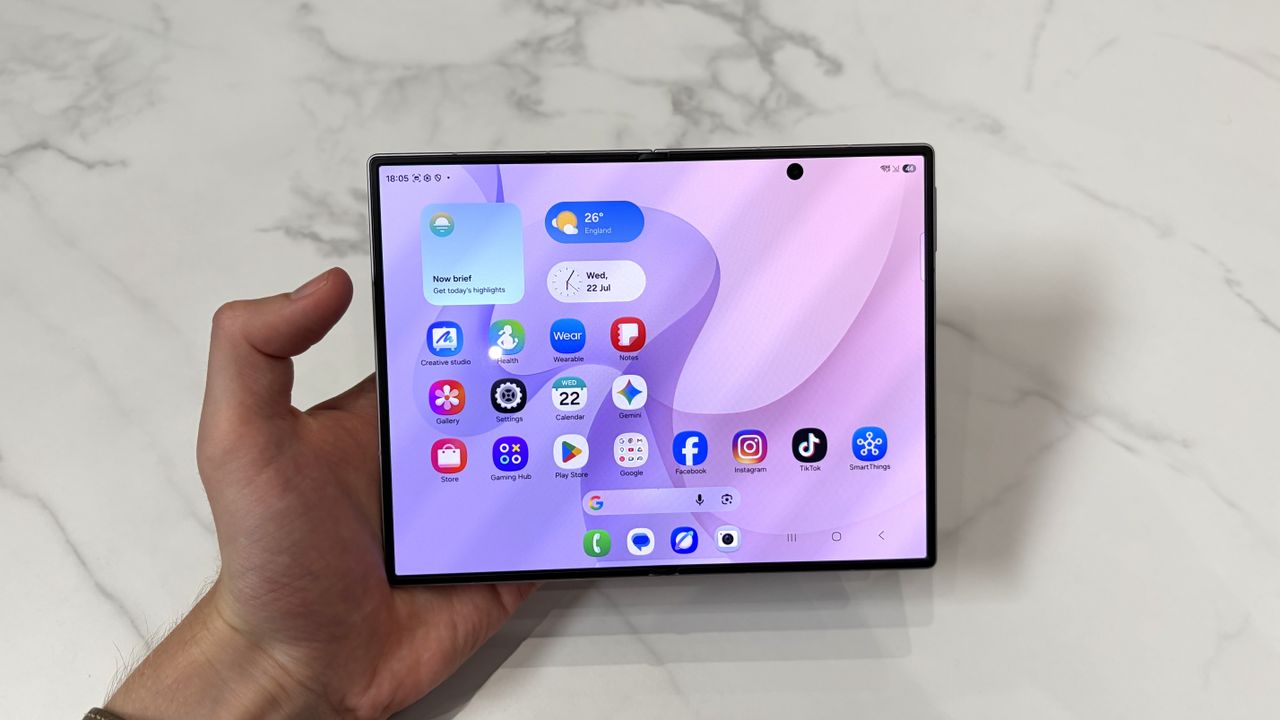
Yesterday saw the launch of the Samsung Galaxy Z Fold 8 Ultra, Galaxy Z Fold 8, and Galaxy Z Flip 8, and because they all run One UI 9 (which is based on Android 17) straight out of the box, all three new phones have access to AirDrop via Quick Share.
So, as any humble tech journalist would do when opening up their Galaxy Z Fold 8 unit for the first time, I immediately sent a picture of myself to my iPhone Air and back again. For testing purposes, you understand. Here’s how quick the process was:
As above, this functionality is not unique to the Galaxy Z Fold 8 nor particularly new to Android phones more generally any more — but I realised while watching Galaxy Unpacked that we hadn’t yet published an article showcasing AirDrop via Quick Share in all its seamless file-sharing glory. So there you go, readers — I know you’ve all been on tenterhooks for eight months straight. This is a big deal.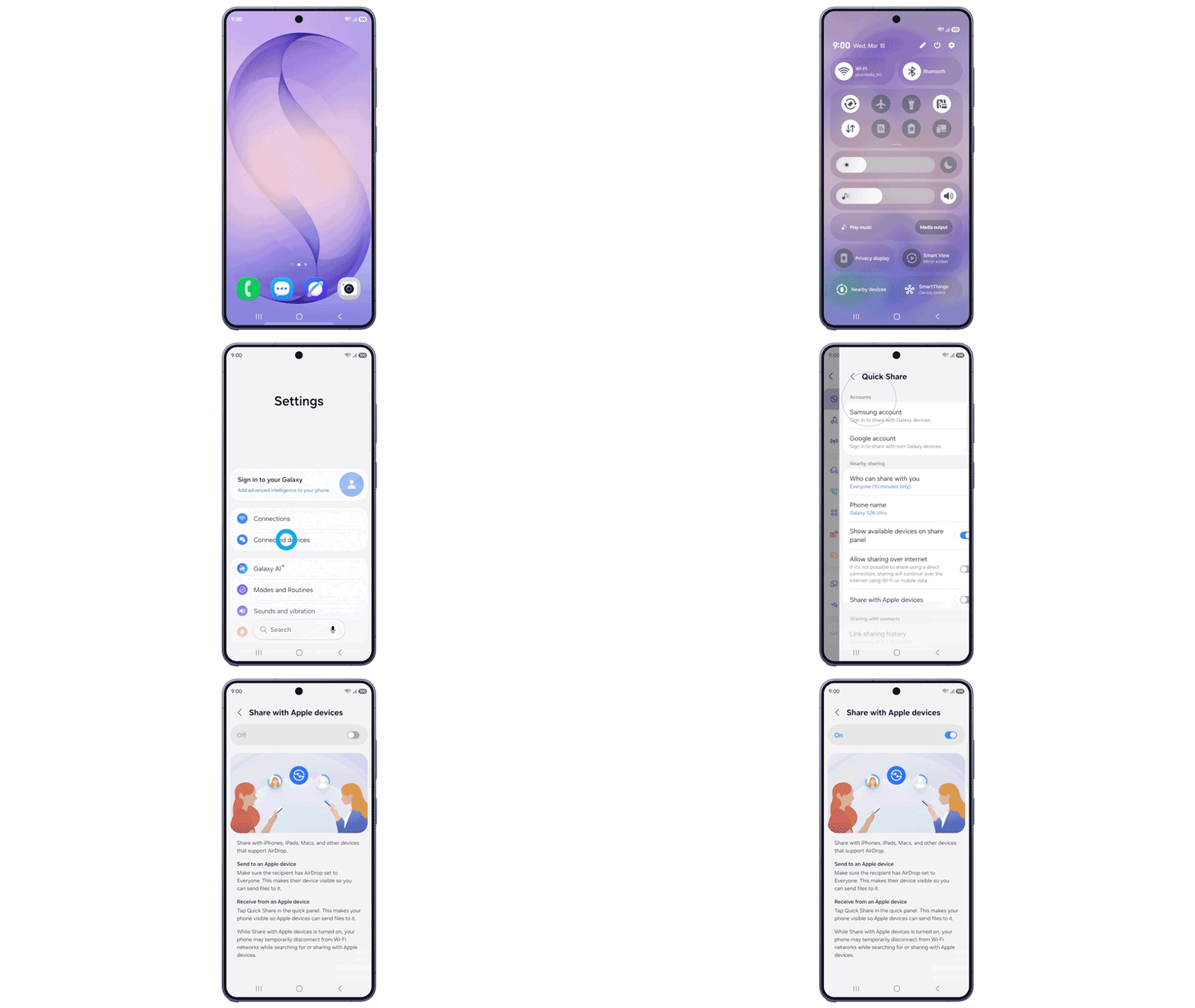
Incidentally, if you own an Android phone that currently supports AirDrop via Quick Share, you’ll have to select ‘Everyone (10 minutes)’ in the Quick Share settings menu to ensure your device is viewable to the iPhone you want to send or receive your file to. On iPhone, you’ll have to select ‘Everyone for 10 minutes’ from the Bluetooth menu in Control Center. Happy file-sharing!
Share
What's Your Reaction?
 Like
0
Like
0
 Dislike
0
Dislike
0
 Love
0
Love
0
 Funny
0
Funny
0
 Angry
0
Angry
0
 Sad
0
Sad
0
 Wow
0
Wow
0