Tenda BE5010 i36 Access Point review: Wi-Fi 7 hardware isn’t always expensive — that’s what I learned from testing Tenda's business-focused AP
The Tenda BE5010 i36 Access Point provides some of the headline WiFi 7 features businesses like, but priced like a retail product for home users.

Tenda BE5010 i36 Access Point: 30-second review
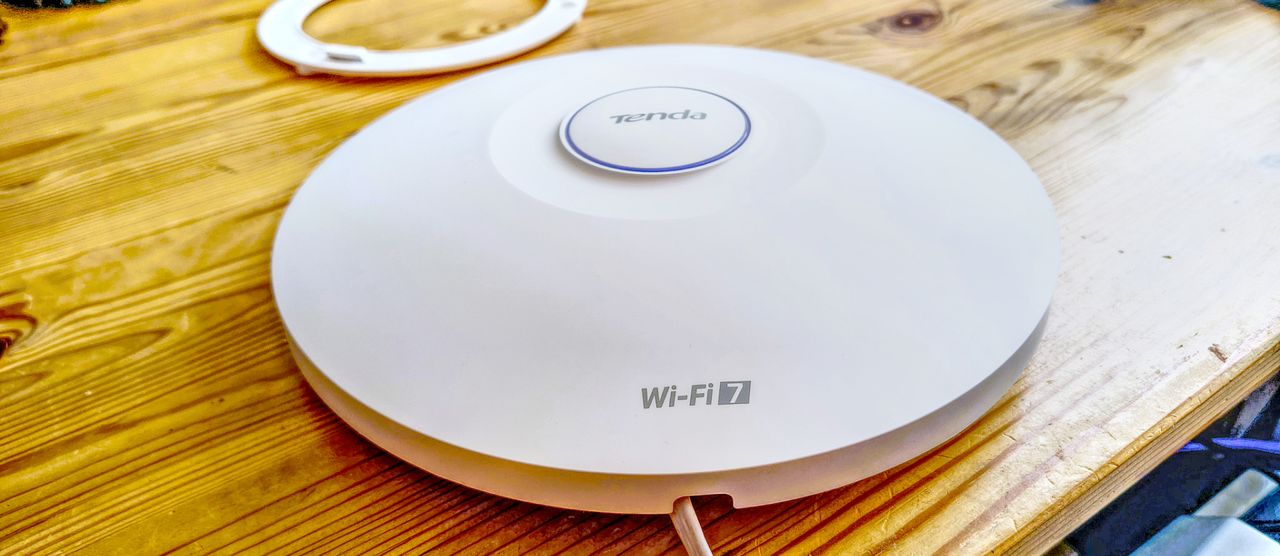
The Tenda BE5010 i36 is a dual-band Wi-Fi 7 ceiling access point built for business environments. It supports speeds of up to 5010Mbps across 2.4GHz and 5GHz. A 2.5GbE PoE+ uplink removes the bottleneck that limits most budget ceiling APs. And the price sits well below what you would normally pay for hardware at this specification level.
Tenda has been making network equipment since 1999. The i36 is not an adapted home product. It is purpose-built infrastructure hardware that powers up via PoE, mounts cleanly to a ceiling or wall, and feeds into the Tenda CloudFi management ecosystem.
The feature list covers all the expected ground for a business-grade AP. Fast roaming, WPA3, VLAN tagging per SSID, MU-MIMO, OFDMA, beamforming, and load balancing are all present. Up to 256 clients can associate, with 100 recommended. That recommended figure is a point worth noting. Most vendors only publish the maximum, as producing a realistic number is something most in the networking industry avoid like the plague.
The one critical thing missing is a 6GHz radio. The i36 is dual-band. That means no access to the wide, uncongested channels that the upper tier of Wi-Fi 7 makes possible. In most deployment scenarios, that will not matter. In very dense, high-demand environments, it might.
In terms of features and management, this might not be the best Access Point available, but for those working with a tight budget, it might be sufficient.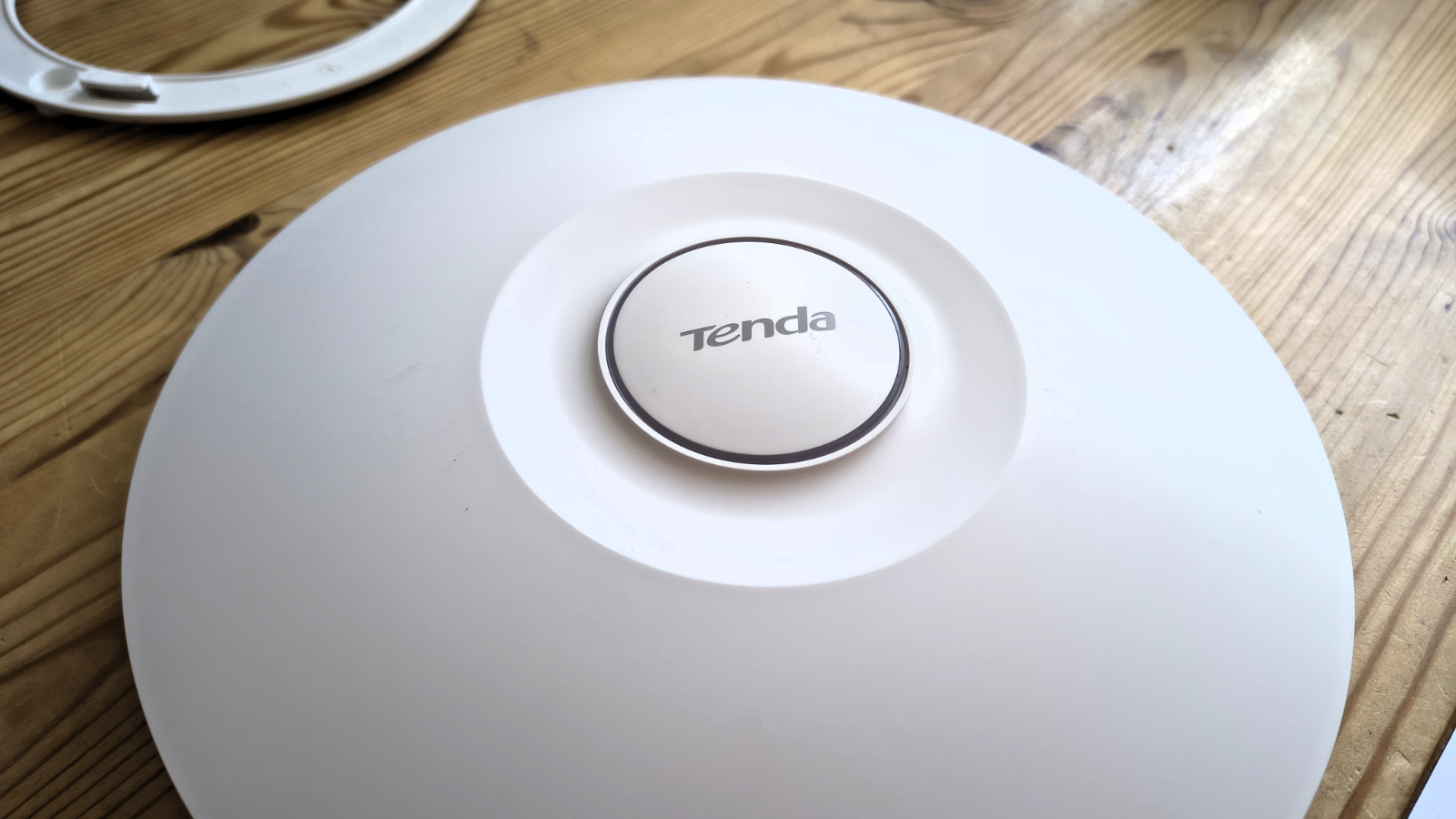
Tenda BE5010 i36 Access Point: price and availability
- How much does it cost? $109.99/ £105.99/€107.99
- When is it out? It is available now
- Where can you get it? You can get it directly from online retailers like Amazon
At around $109.99 in the US via Amazon, the i36 represents some competitive spirit. Comparable dual-band Wi-Fi 7 ceiling APs from TP-Link and Ubiquiti regularly cost two or three times as much. In several cases, those rival units offer only marginal advantages in spec.
The pricing even undercuts some mature Wi-Fi 6 ceiling APs still on the market. That naturally raises questions about build quality and ecosystem depth.
The UK price is £105.99 on Amazon, and from the same source, it can be found across Europe for €107.99.
Tenda does sell via AliExpress, but at the time of writing this model isn’t available from that location.
As a PoE injector that delivers 802.3at power is included in the box, buyers don’t need a PoE switch or injector in addition to this AP. The i36 draws up to 17.4W. That sits well within the 30W ceiling of 802.3at, so any standard PoE+ switch is sufficient, and most businesses should have one by now.
Looking at the opposition, most have ceiling Access Points that are cheaper, but they’re invariably Wi-Fi 6, not Wi-Fi 7. Once you add the number 7, things become notably more expensive.
The TP-Link EAP772, for example, does have the 6GHz band, but it is $169.99/£151.92, and it doesn’t come with a PoE injector, so extra expense may be hidden.
Even more expensive is the Ubiquiti UniFi U7 Pro, which is close to $190 in the US, and it doesn’t have a power adapter either.
And, the most expensive model I found was the EnGenius ECW510, which has roughly the same specs as the BE5010, but the asking price is $217.98.
Probably the best-value alternative is the Zyxel Wi-Fi 7 BE5100 Access Point, which sells for $77.59, but the power supply is not included. And from what I understand, it supports Mesh.
But in the grand scheme of things, the Tenda BE5010 i36 offers exceptional value.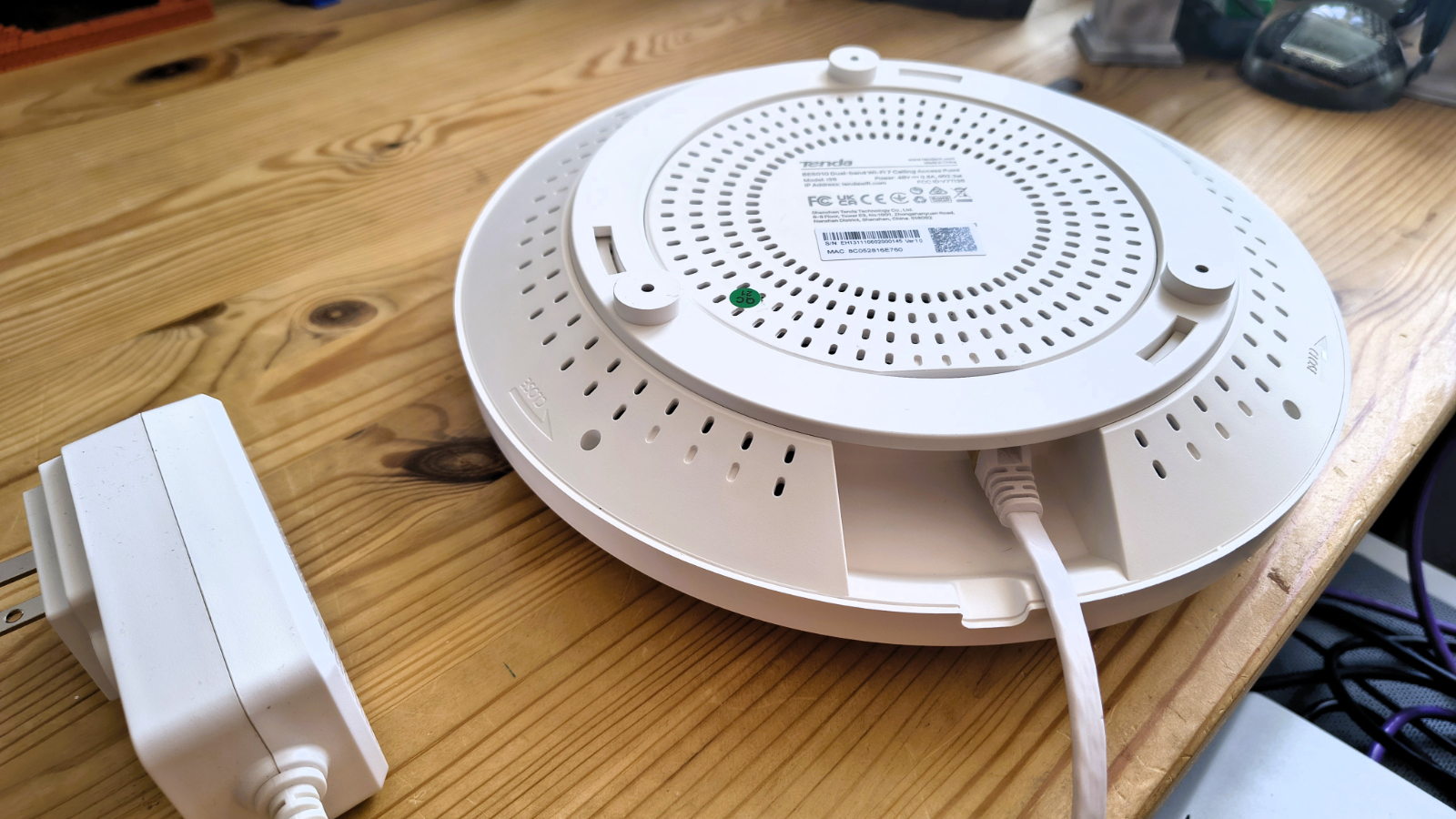
- Value score: 4.5/5
Tenda BE5010 i36 Access Point: Specs
Feature | Spec |
Model: | i36 Ceiling Access Point |
2.4GHz: | 2x2 up to 688 Mbps (20/40MHz) |
5GHz: | 2x3 up to 4323Mbps(20/40/80/160Hz) |
6GHz: | N/A |
Max Clients: | 256 |
Recommended Clients: | 100 |
SSIDs: | 8 |
Ports: | 1x 100/1000/2500Mbps PoE+ Ethernet; 1x 10/100/1000Mbps Ethernet 1 x Reset button |
Mesh: | No |
MLO | Yes |
AFC | No (no 6GHz) |
Wired Link Aggregation | No |
CPU: | Unknown |
Memory: | Unknown |
Storage: | Unknown |
USB Ports: | No |
Modes: | Access Point, Client + AP |
Firmware: | V1.0.0.3(4327) |
Dimensions: | 250.6 mm diameter x 55 mm |
Weight: | 640g |
Tenda BE5010 i36 Access Point: Design
- Saucer
- Dual LAN ports
- PSU included
The i36 is a circular white disc that appears to have modelled itself on the saucer section of an original series Star Trek ship. I’m not sure if this is trying to draw attention to itself or not, but if it is, that’s exactly not what you want from a ceiling AP.
At 250.6mm across and just 55mm deep, it’s quite large as these devices go, but it should work in the majority of office settings with white paintwork or ceiling tiles.
Tenda includes mounting hardware for both ceiling and wall installation. The disc clicks onto a base plate that screws directly to the surface. Cable entry is through the edge of the mount, and there are three standoffs included that should provide sufficient ventilation for the AP in use. The installation is clean, assuming a LAN cable run is already in place.
The port arrangement is better than most, where a single PoE LAN is offered. A 2.5GbE port handles both incoming PoE power and uplink network traffic. The secondary gigabit port adds flexibility. A thin client, display controller, or IP phone can sit alongside the AP and plug into that second port without needing a separate drop. It is a small detail that competing units at this price often omit. It’s a shame that the second port wasn’t also 2.5GbE, allowing for these to be chained from a single LAN cable, but having the second port is incredibly useful.
Included in the box with the AP is a PSU, and thankfully, Tenda avoided the classic mistake of making a directly connected power supply that requires a local power outlet. The PSU provided comes with a PoE Ethernet injector, enabling power to be supplied at the server end of the cable, where power is likely to be easily accessible.
In my testing, I didn’t use this, since it was made for an American power outlet, but hopefully, for those buying this device outside the USA, regionally compliant versions are included.
The design of this AP is simple yet functional, and that’s mostly what IT people want from them.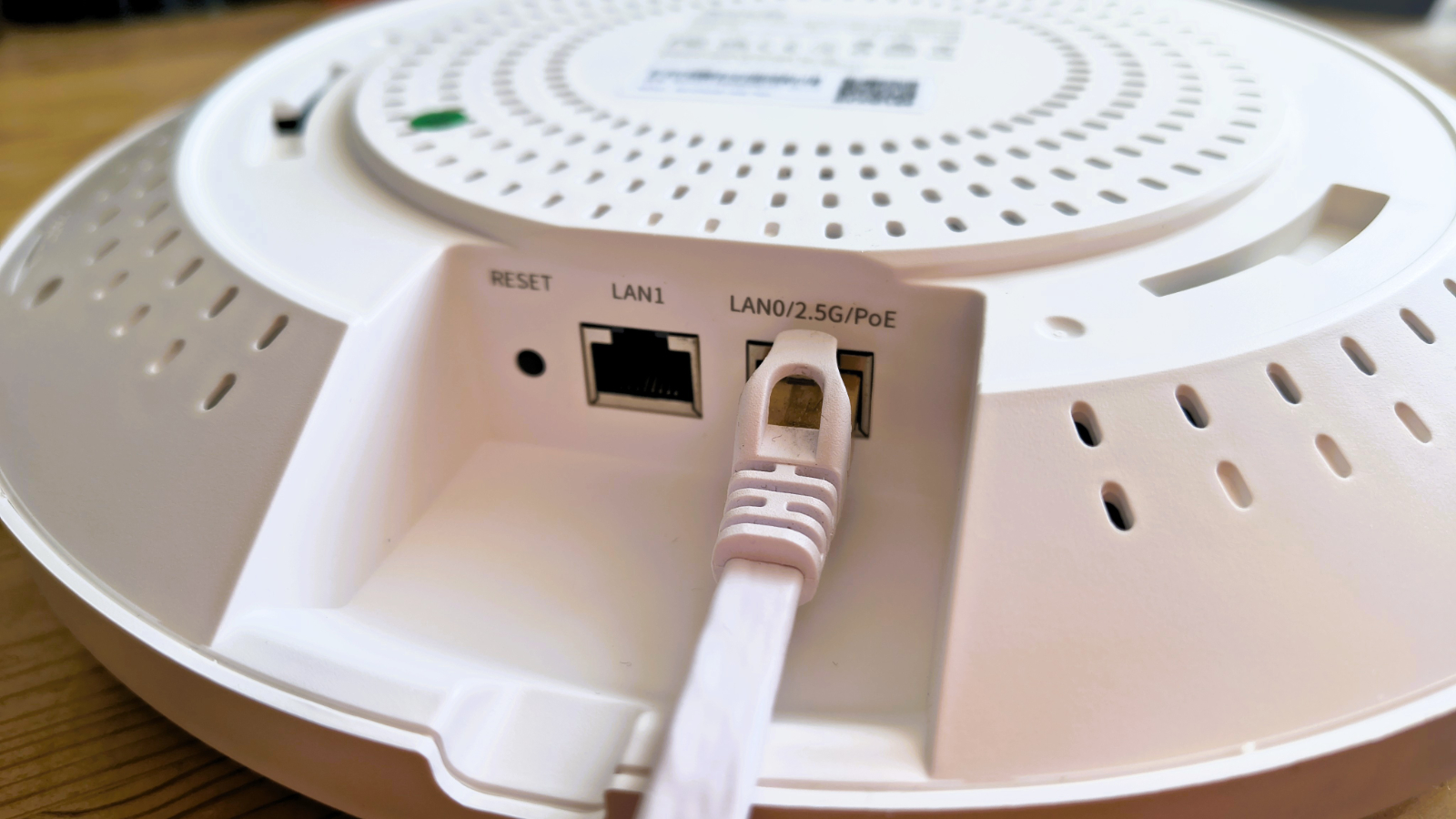
Design score: 4/5
Tenda BE5010 i36 Access Point: In use
- Basic router
- Limited controls
There are three ways to configure the i36. A local web interface is available at 10.16.16.169 or 192.168.0.254. The Tenda CloudFi mobile app covers most day-to-day management tasks. And the full CloudFi cloud platform handles multi-site deployments and fleet management.
For a single AP installation, the local web interface is perfectly adequate. For a school, hotel, or office campus running multiple units, the cloud platform and app become genuinely useful tools. That flexibility across deployment scales is a strength of the platform.
Tenda describes three steps to get a standalone unit running: set the working mode, configure the wireless network, and congratulate yourself on a job well done. The interface and feature set provide a straightforward onboarding process that only requires you to provide an 8-character password with no restrictions for special characters.
The management feature set goes a little beyond the basics. However, it can isolate clients using VLAN tagging, and also isolate the SSID. There are eight possible SSIDs, so you can put Guests on a different one from standard users, and isolate admin functions to another.
AP isolation, client access control, and RSSI threshold controls let you shape the wireless environment precisely. Weak signal client steering actively moves poorly connected clients to a stronger access point, or it will if you have multiple APs and are using the CloudFi functionality to administer them. 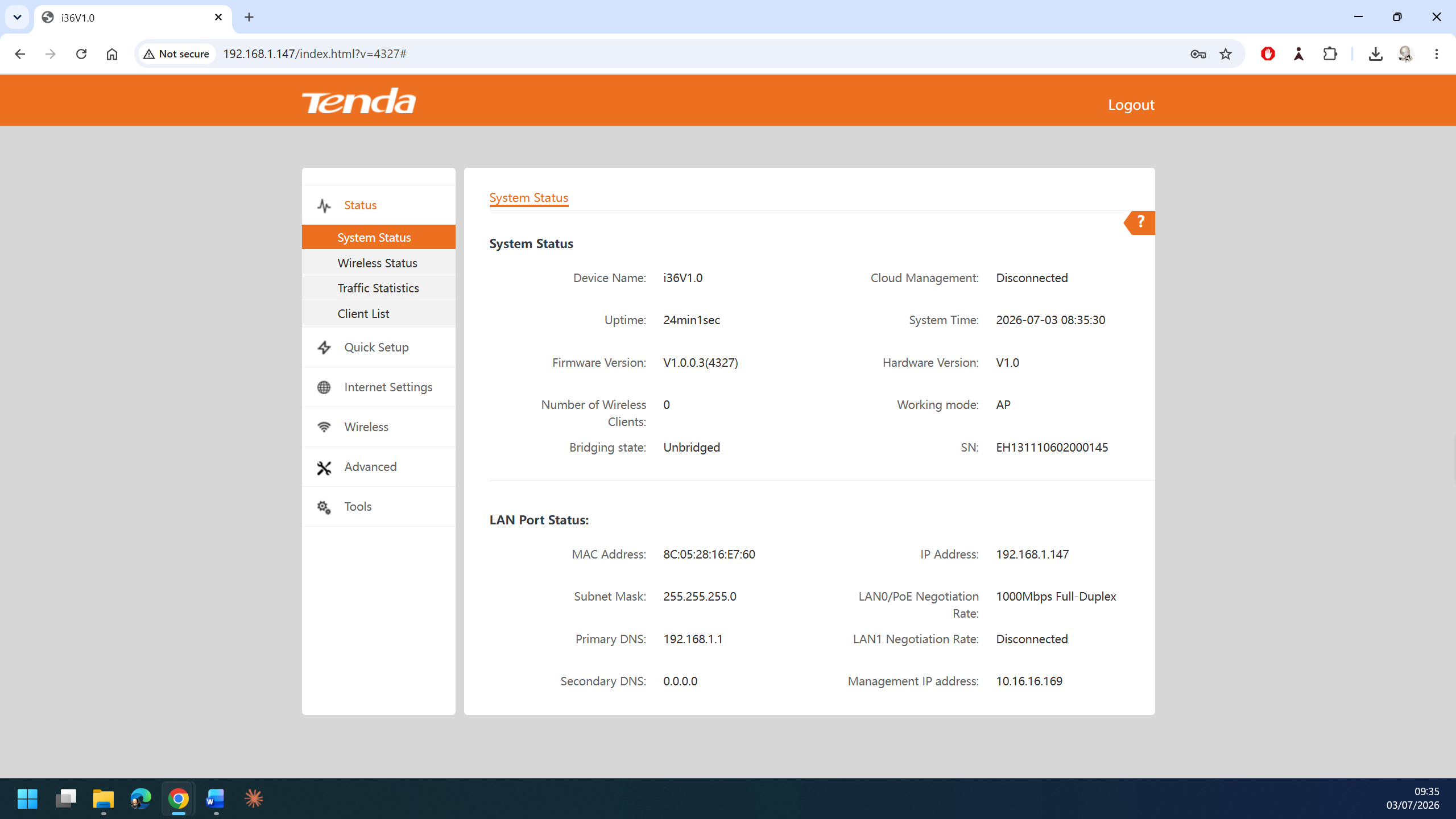
Fast roaming via 802.11k/v/r is supported throughout, although the word ‘Mesh’ is never mentioned in this context. In any environment where users move between access points, a clean handoff matters. Hotels, school corridors, and warehouse floors all benefit from this, though this function isn’t Mesh, which the hardware doesn’t support.
The other word that isn’t used is VPN, as there are no automated connections where VPN tunnels can be established via the AP.
Compared to the management tools provided by others, specifically TPLink Omada and UniFi, this is Cloud management with a very light touch. While it is possible to have multiple projects for different locations and administer them centrally, there are limits to what can be done with this tool. There is a mobile app version with the same functionality, but it relies on you registering on the Cloud version to have an account to interface.
Perhaps there is more to CloudFi if you have other Tenda equipment, such as gateways and switches, but it’s a shadow of the Omada Cloud admin. But, on the positive side of that coin, Tenda don’t charge you to use it, or expect a local hardware controller.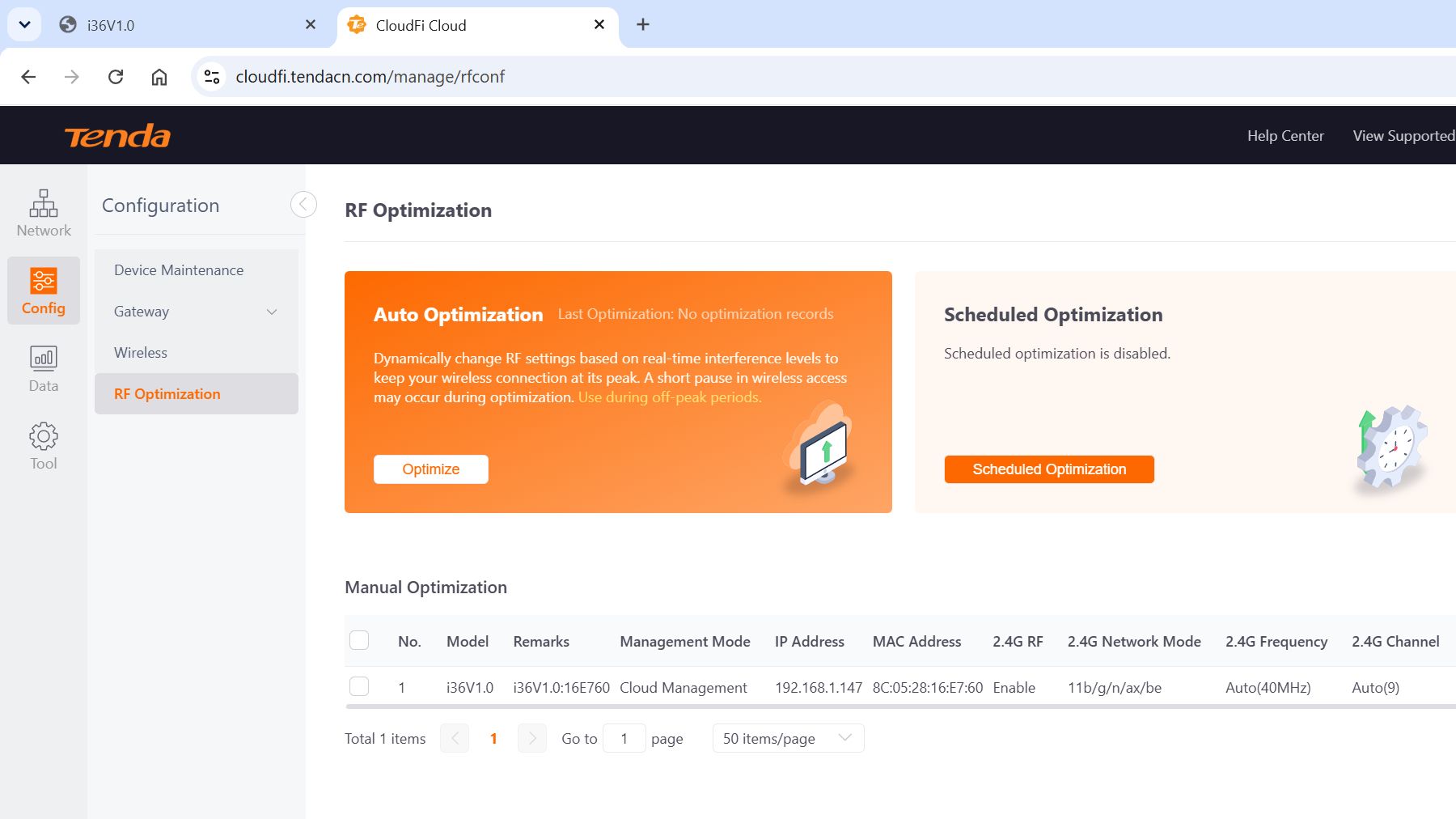
- In Use: 3.5/5
Tenda BE5010 i36 Access Point: Performance
- 5010Mbps peak
- 2.5GbE uplink
- 160MHz channel
- No 6GHz band
And, this is true of the most expensive hardware, as much as it is with this.
On paper, the i36 is an impressive unit. The 5GHz radio tops out at 4323 Mbps using 4096-QAM modulation across a 160 MHz channel. That is a decent amount of bandwidth for a dual-band Wi-Fi 7 radio without a 6GHz band. The 2.4GHz radio contributes 688Mbps. It is useful for legacy devices and extending the range into areas where the 5GHz signal falls away. I wasn’t expecting the 6GHz band at this price, and it isn’t included.
The 2.5GbE uplink is the headline specification at this price. Most budget ceiling APs are throttled by a 1GbE uplink long before the wireless radio hits its limit. With 2.5GbE, the wired connection to the network is no longer the constraining factor. Tenda claims aggregate wired throughput of up to 2.1Gbps under optimal conditions. But, and this is a problem with most APs of this generation, if it does hit those high notes using dual-band Wi-Fi 7 clients, then it's still leaving 60% of the possible Wi-Fi performance on the table. The only way this could be fully utilised is if Wi-Fi clients are talking between themselves, and not using the uplink.
To better explain my thinking here, let’s talk about that 4323Mbps 5GHz figure. It assumes a Wi-Fi 7 client capable of 160MHz channel operation and 4096-QAM encoding. Most current smartphones do not meet both of those requirements, and actually, relatively few laptops do either. A mixed environment of Wi-Fi 5, Wi-Fi 6, and Wi-Fi 7 clients will produce substantially lower aggregate throughput.
That is true of every access point in this generation and should be factored in when reading any peak specification figure. Just because this router can theoretically operate at those speeds doesn’t mean it will be doing so regularly, if ever.
Connecting with a laptop that had a Wi-Fi 6E adapter to my 1GbE PoE network, I managed a connection bandwidth of 2.4Gbits, but due to the LAN limitations, the fastest file transfer was about 85MB/s. Using a Comfast Wi-Fi 7 adapter, I managed a 2.8 Gbit link, but less performance on the file transfer. With a 2.5GbE backhaul and a better Wi-Fi 7 adapter, 200 MB/s might be possible, but that is when there is only me using the AP.
Without a 10GbE backhaul or 6GHz band and given the variability of Wi-Fi 7 technology, these are realistically the results most access points will deliver currently.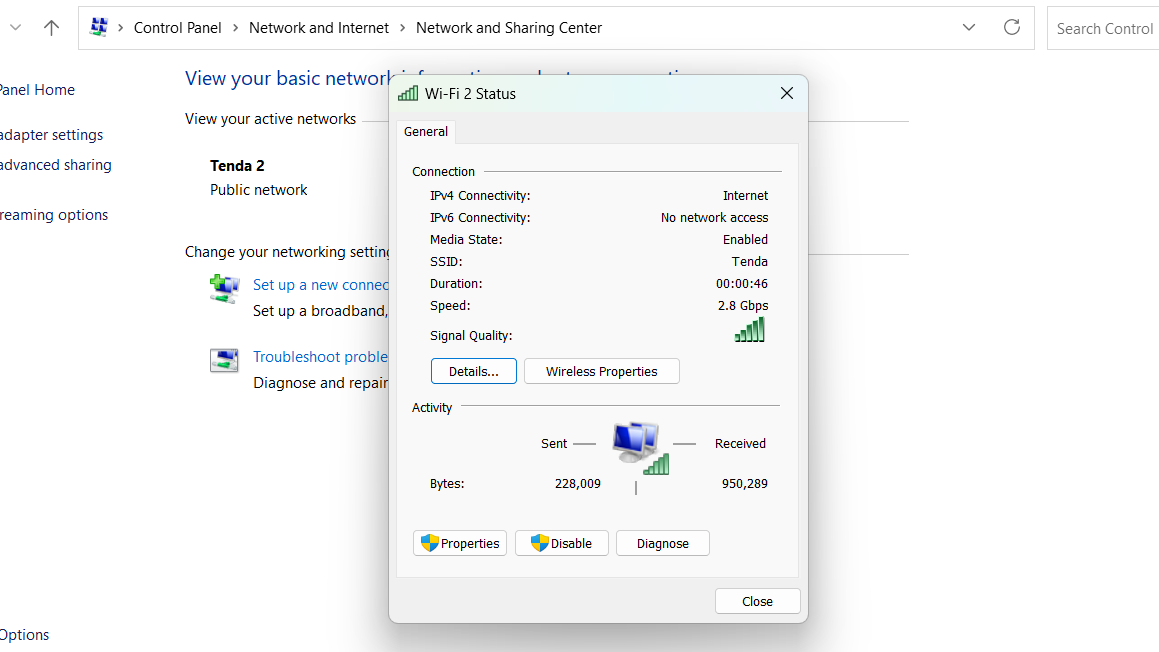
Tenda BE5010 i36 Access Point: Final verdict
The Tenda BE5010 i36 is a dual-band Wi-Fi 7 ceiling access point that punches far above its price. It brings 5010Mbps of wireless speed, a 2.5GbE uplink, WPA3 security, and a capable cloud management platform to a category that typically charges far more for these features.
The absence of a 6GHz band is a real limitation for those who need it. For everyone else, this is a compelling piece of kit at a price that is hard to argue with.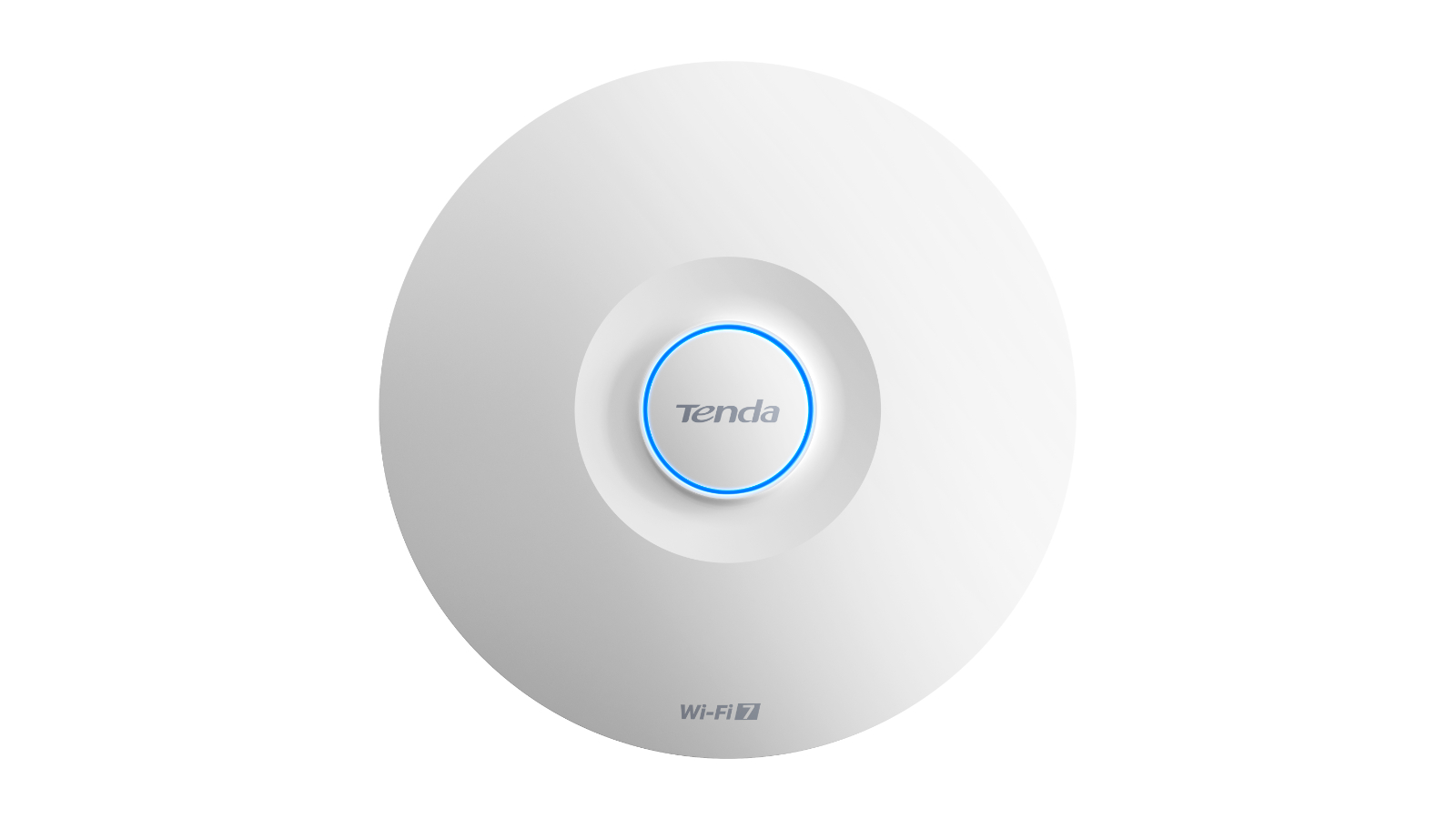
Should I buy a Tenda BE5010 i36 Access Point?
Attributes | Notes | Rating |
|---|---|---|
Value | For Wi-Fi 7, this is a bargain | 4.5/5 |
Design | Simple but effective saucer design | 4/5 |
In Use | Cloud connector or not, its your choice | 3.5/5 |
Performance | 2.5GbE LAN backhaul is the limiting factor | 4/5 |
Overall | Excellent 5G travel router with a few caveats | 4/5 |
Buy it if...
You need cheap equipment
Given that most of the alternatives are at least 50% more, and don’t come with a PoE injector, this hardware is undoubtedly a cost benefit. However, the CloudFi system isn’t as powerful as a TP-Link or UniFi system, so it may take more time to administer.
Don't buy it if...
You want all Wi-Fi 7 offers
Without the 6GHz band, Wi-Fi 7 isn’t much faster than Wi-Fi 6e, and equipment at that level is even cheaper than this. It does have some other virtues that make it worth considering, but the unused frequencies of 6GHz make it special. This AP doesn’t support 6GHz.
You want a Mesh solution
This hardware doesn’t support Mesh, even if it does have fast roaming via 802.11k/v/r. Without Mesh technology, it would be difficult to integrate this into existing APs from other brands that do support Mesh technology.
For more connectivity solutions, we've reviewed the best business routers
Share
What's Your Reaction?
 Like
0
Like
0
 Dislike
0
Dislike
0
 Love
0
Love
0
 Funny
0
Funny
0
 Angry
0
Angry
0
 Sad
0
Sad
0
 Wow
0
Wow
0