Razer wants the Seiren V3 Pro to be the ultimate gaming mic, but you probably don’t need it
The Razer Seiren V3 Pro comes loaded with features for demanding users, but you’ve got to pay for the privilege.

Razer Seiren V3 Pro two-minute review
When I look for a gaming microphone, my requirements are modest – I want my teammates to hear me clearly and my foes to know what I really think of them (just kidding, those obscene thoughts stay in my head). I’d wager that most gamers have similarly unpretentious needs.
Razer, however, thinks gamers could do with more – a lot more. And so it’s brought out the Serien V3 Pro, a microphone that’s stuffed to the gills with high-end features that take it way beyond your common-or-garden gaming mic.
But to be fair, it’s not just positioned for gamers. Razer pitches the Seiren V3 Pro as the perfect partner for “musicians, podcasters, and creators who demand more than entry-level gear,” and it’s outfitted its “studio-quality” device with a range of features that might tickle the fancy of users a little more discerning than your average CoD goon.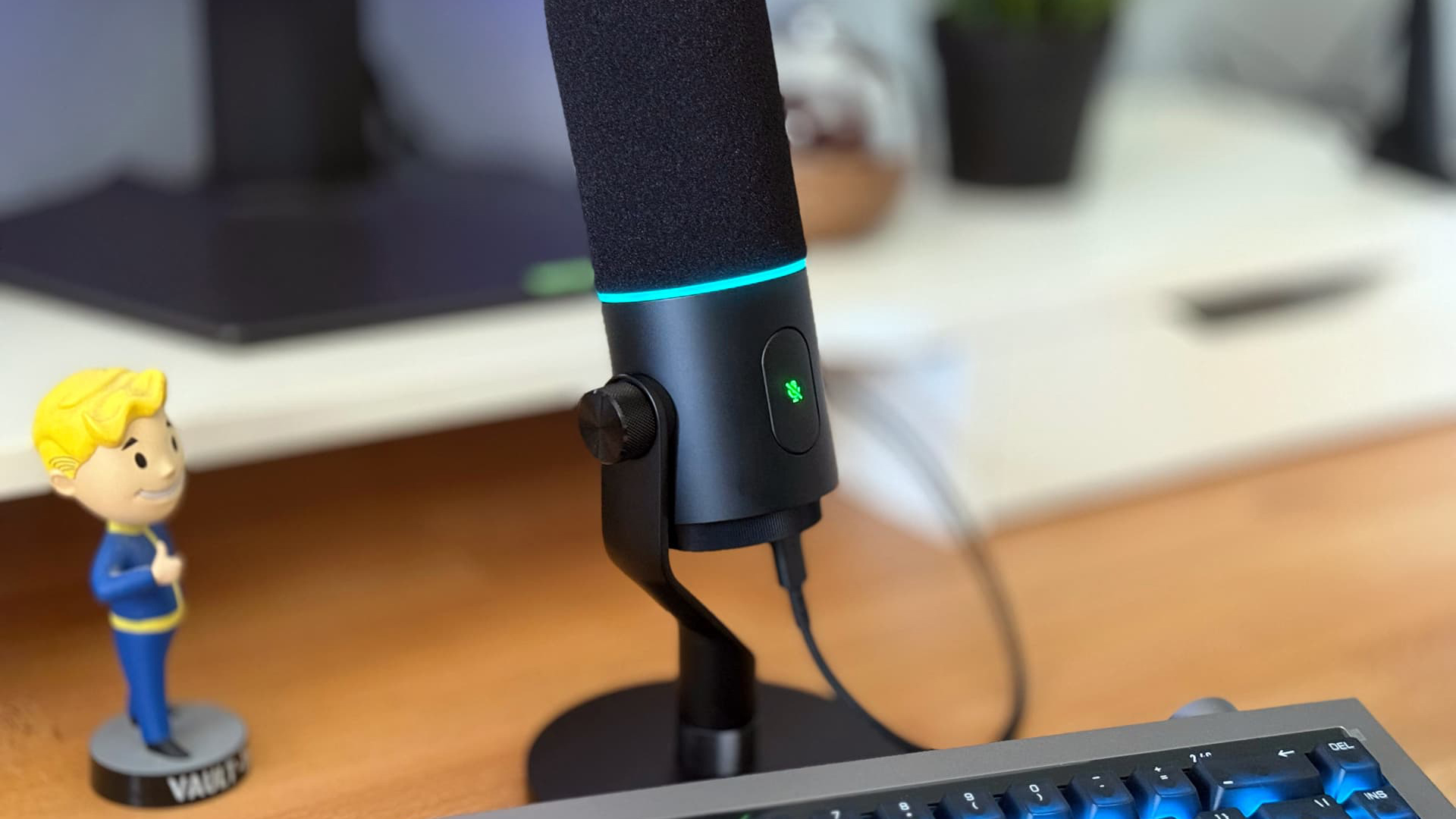
That includes 32-bit float. Razer has included this expanded capture range to rescue audio that’s been subject to a few too many what we might call “gamer moments.” It can handle more extreme volume spikes – the type that might be prompted by jump scares, frustrating moments and clutch kills – with the idea being that streamers won’t have to worry about clipping and distortion during their broadcasts.
Razer has supplemented this feature with a fistful of other premium addons, including dual 48kHz and 96kHz sample rates, a built-in shock mount and removable pop filter, and a 30mm dynamic capsule. There’s a digital signal processing (DSP) that enables features like an audio expander, compressor, AI noise removal, and more. Razer has also included an XLR connector in addition to USB-C, just in case you want to run your mic through a dedicated audio interface.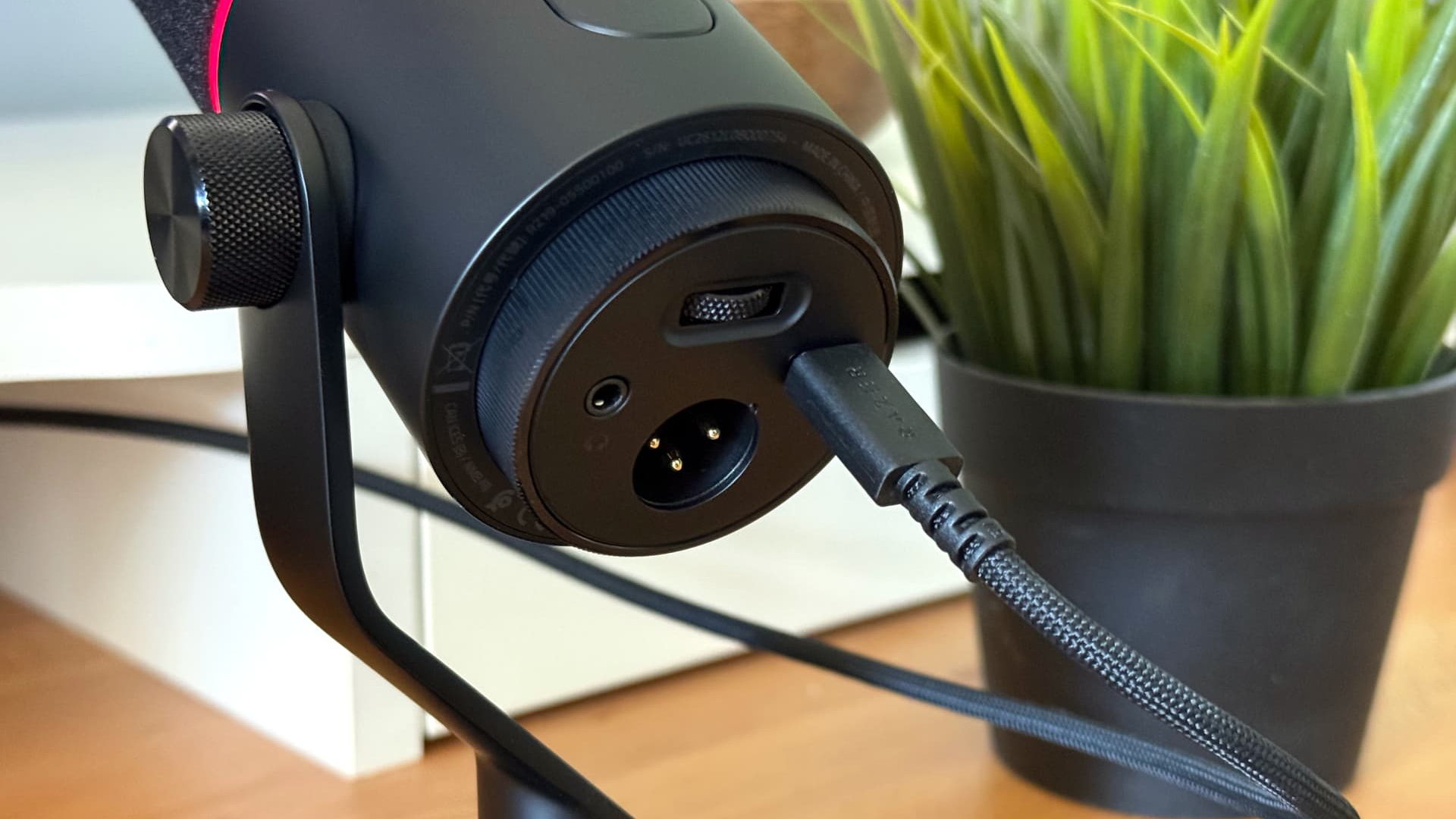
Again, it’s all geared towards pros and enthusiasts rather than your average video game enjoyer.
Audio performance is obviously the most important part of any microphone – you can have all the bells and whistles, but if you end up sounding muffled or distorted, they’re not much use to you.
Here, the Seiren V3 Pro impresses. My audio was crisp and clear right out of the box, with no adjustments necessary. Razer walks you through a brief set-up process in Synapse when you get started, and it’s worth doing so the mic can be tweaked to your surroundings. The AI noise suppression in Synapse did a great job cutting out the whirr of my desk fan, while the pop filter put a stop to most unwanted plosives throughout my recordings and voice calls.
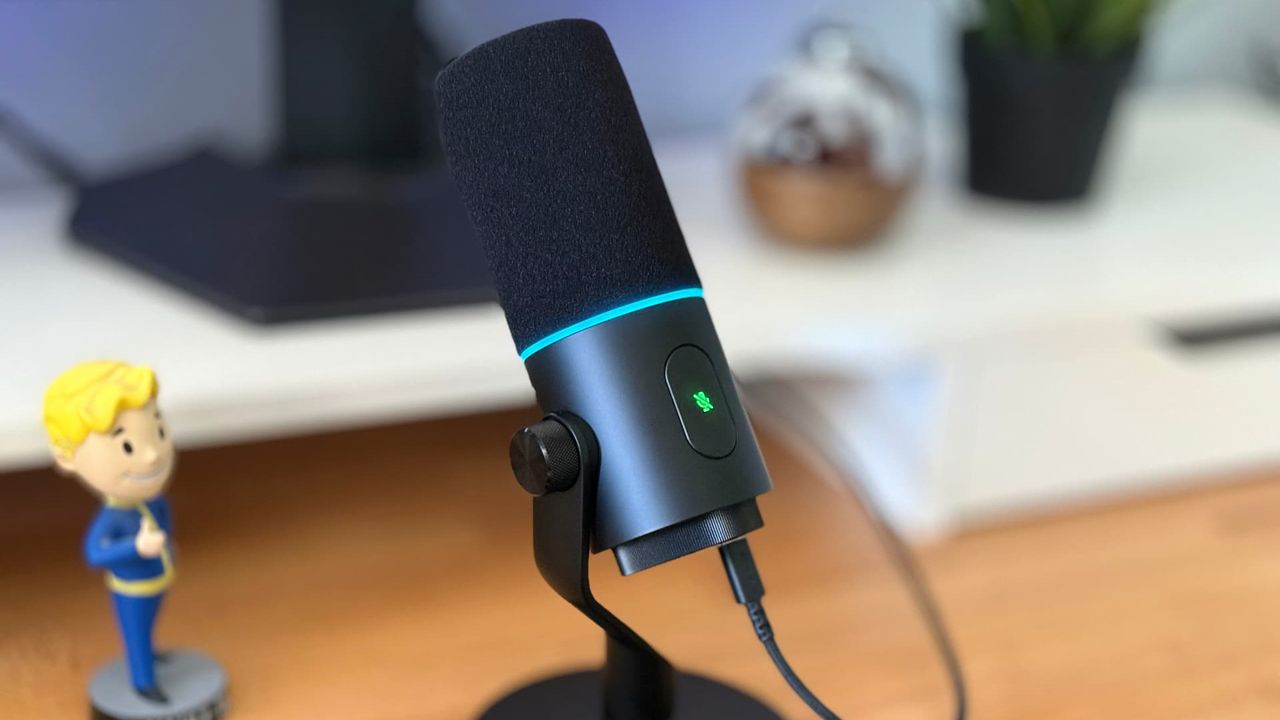
The on-device controls worked well, especially the mute button. It’s large and touch-sensitive, so it’s very easy to press in a flash (just be careful you don’t accidentally activate it). Both the button and the mic’s RGB ring turn red when you’re muted, giving a clear visual cue. Only a small nub of the gain dial protrudes from the underside of the device’s body, though, which can make it tricky to find.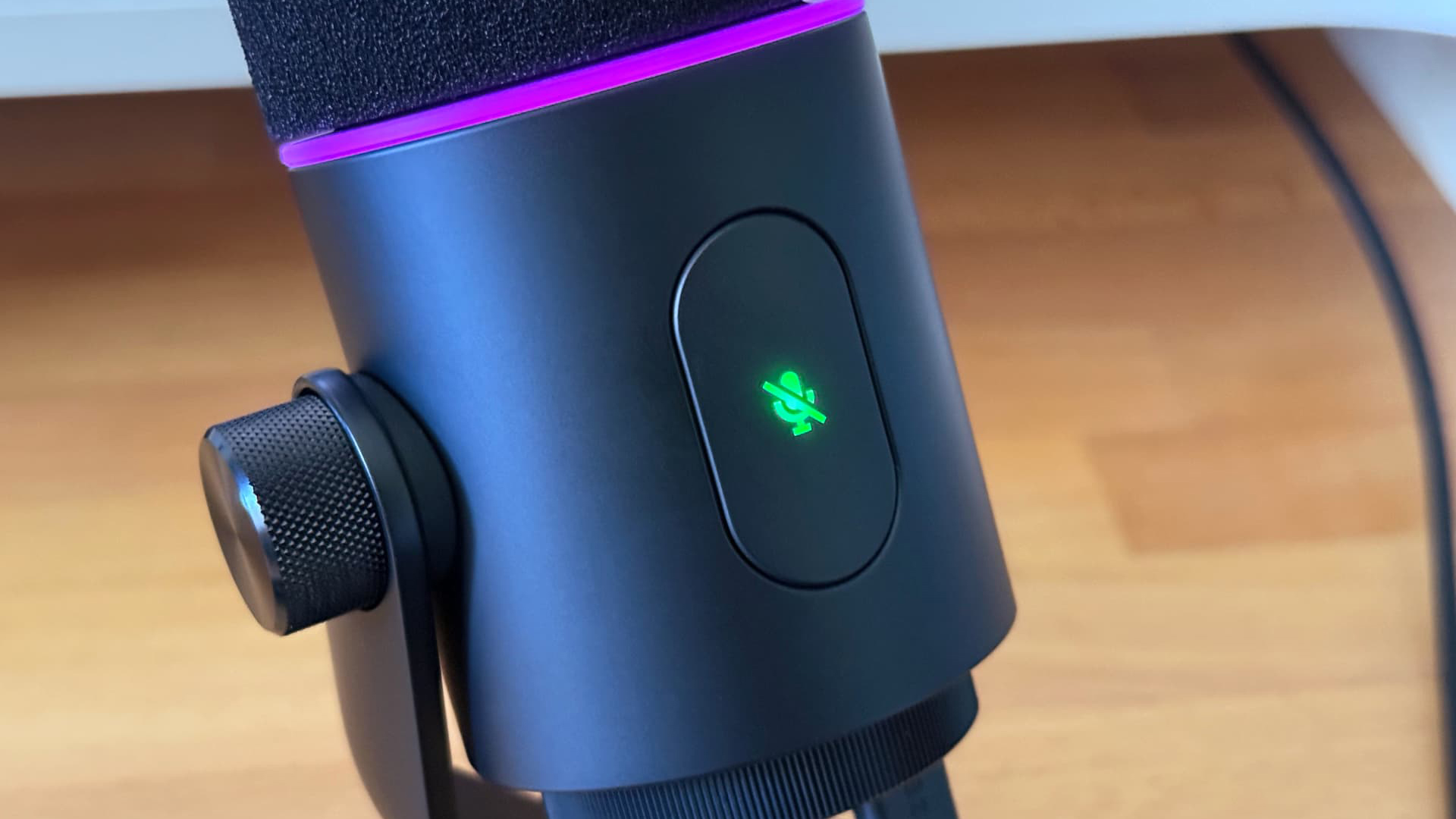
As far as visuals go, the Seiren V3 Pro blends understated looks with a few choice touches. Its matte black finish and angled stand are easy on the eye, while this wouldn’t be a Razer product without a smattering of RGB lighting – in this instance, it’s about halfway up. Above it is the removable pop filter cover that hides the mic’s grille and built-in shock absorber. There’s a large touch-sensitive mute button on the front and ports for USB-C and XLR on the bottom alongside a 3.5mm headphone jack and a gain dial.
The build quality feels rock solid, with plenty of reassuringly weighty metal to be found. There’s a hefty foot to keep the mic grounded on your desk, but you can opt to screw the mic onto a boom arm if you prefer. The absurdly long USB-C cable (3.15m at our count) ensures you can trail it far from your PC.
That’s the hardware, but what about Razer’s notoriously finicky software? 32-bit float is only available through Razer’s app, so love it or loathe it, you’ve got to use it to get the full experience.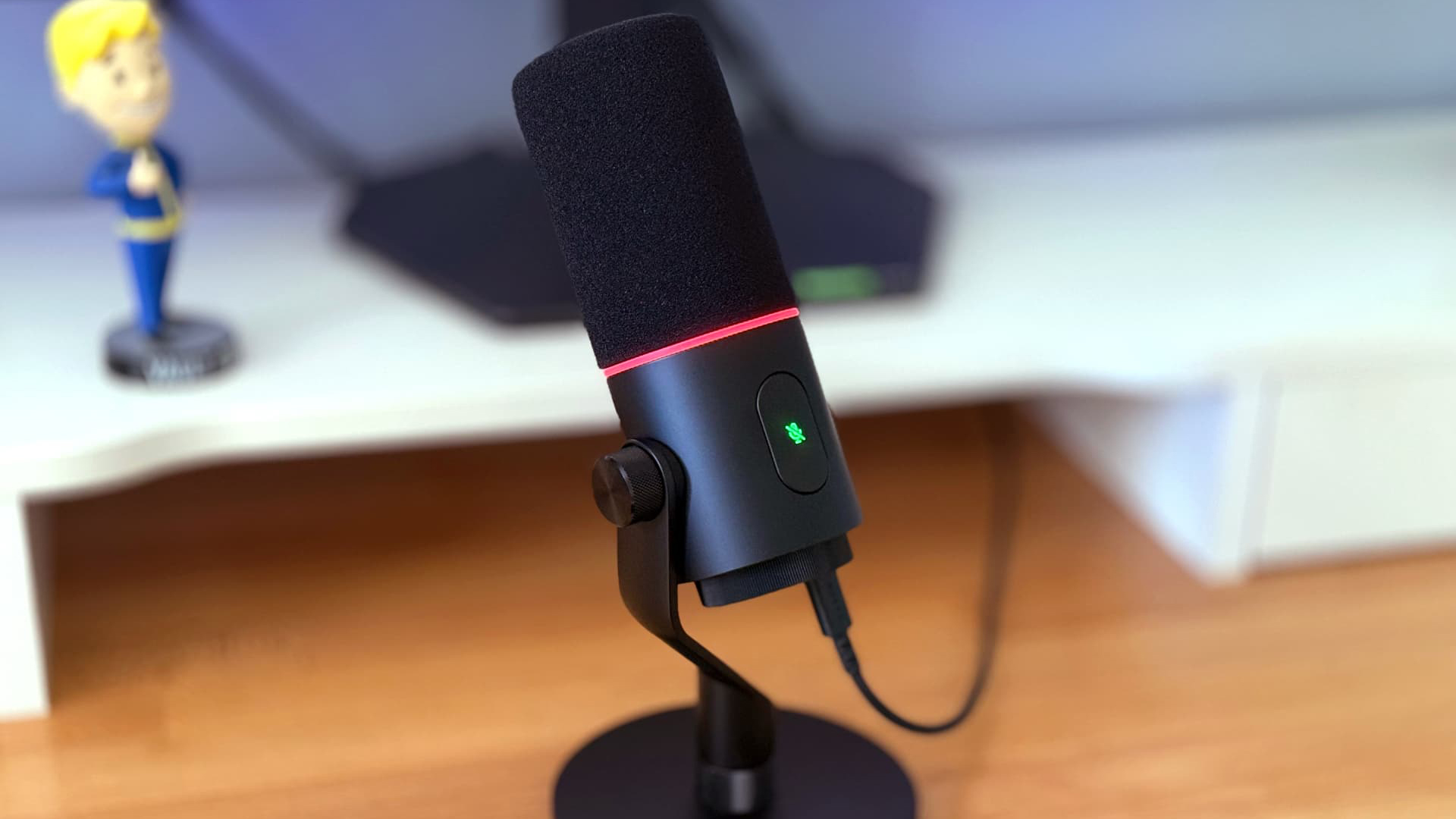
Synapse is full of controls to tweak the mic to your needs. You can adjust EQ filters and frequencies, change the vocal bass and ramp up the vocal exciter, mess with the stream mixer levels for input and output, enable a noise gate, reverb and AI noise suppression, and even dial in the RGB lighting if required.
To the average gamer, this is all a bit excessive unnecessary, even daunting. But if you’re a podcaster or musician – or just someone who wants as much control over their audio as possible – there’s plenty here to play with.
And that sums up the Seiren V3 Pro as a whole, really. The mic’s high-level features and equally lofty price tag mean it’s simply off the radar for most gamers. But if you know you need it and are willing to pay, you’ll find there’s a lot on offer here.
Razer Seiren V3 Pro review: Price & release date
- Available to buy now
- Priced at $249.99 / £249.99 / AU$429.95
- Optional “Main Character Bundle” including the Seiren V3 Pro and Razer’s Kraken Kitty V3 Pro headset
The Razer Seiren V3 Pro is available now from Razer’s website or from third-party retailers. It’s priced at $249.99 / £249.99 / AU$429.95.
That makes it pretty expensive for a gaming microphone, so you should think carefully about whether you need all of its extra features before pulling the trigger. If you spend most of your time on video calls with family or yelling profanities at enemies in Call of Duty, you could probably make do with something more affordable.
Razer sells an optional “Main Character Bundle” that includes the Razer Seiren V3 Pro and the Razer Kraken Kitty V3 Pro headset. That’s sold for $429.98 / £429.98 / AU$759.90.
Razer Seiren V3 Pro review: Specs
Polar patterns | Cardioid |
Frequency range | 50Hz – 16kHz |
Connectivity | USB-C, XLR |
Audio | 24-bit / 32-bit (32-bit float via Synapse) |
Sample rate | 48kHz / 96kHz |
Should I buy the Razer Seiren V3 Pro?
Attribute | Notes | Score |
Features | Lots of premium extras, plus plenty of control in the Synapse app | 4.5 |
Performance | Excellent audio performance from the get-go | 4.5 |
Design | Solid design, if unexceptional | 3.5 |
Value | Expensive and much more than most people need, but decent value for pros | 3.5 |
Buy it if…
You’re concerned about loud noises on your recordings
With 32-bit float support, there’s more leeway to capture loud sounds without ruining your audioView Deal
You don’t like fiddling with settings
This mic sounds great right out of the box, making it ideal for anyone who wants to get up and running quickly. And there’s a guided setup process in Synapse in case you need itView Deal
You have an audio interface
With XLR connectivity, Razer’s Seiren V3 Pro can be hooked up to an audio interface for even more controlView Deal
Don’t buy it if…
You’re on a budget
There are definitely more straightforward options available for less cashView Deal
You want something simple
All those extra features are probably more than most gamers needView Deal
You need more than one polar pattern
The supplied cardioid polar pattern is great for streamers, but not so much for podcast hosts interviewing guestsView Deal
Also consider
Blue Yeti
This classic mic is tried and true, with fantastic sound quality and superb ease of use. It sounds great out of the box and doesn’t require any additional apps to run. It’s also a fraction of the price of the Razer Seiren V3 Pro. That all makes it our pick for the best streaming mic money can buy.View Deal
SteelSeries Alias
The SteelSeries Alias is one of the best streaming microphones around. It comes with handy features designed for gamers, including a built-in shock mount and helpful mute indicator, plus an ingenious LED display that shows handy info (such as if your input volume is a touch too high). Like the Blue Yeti, it’s also more affordable than Razer’s offering.View Deal
How I tested the Razer Seiren V3 Pro
- I created test recordings and also analyzed the mic’s performance during games and on audio calls with friends
- The microphone was tested on both my PC and my Mac
- I also spent time testing out the microphone’s software features in the Razer Synapse app
I spent a week testing the microphone on both my PC and my Mac. I created various audio recordings, used it during gaming sessions and put it through its voice-calling paces with friends.
- Read TechRadar’s reviews guarantee
- First reviewed: July 2026
Share
What's Your Reaction?
 Like
0
Like
0
 Dislike
0
Dislike
0
 Love
0
Love
0
 Funny
0
Funny
0
 Angry
0
Angry
0
 Sad
0
Sad
0
 Wow
0
Wow
0