OneRep Review
An in-depth review of OneRep, covering its key features to help you decide whether it’s an ideal choice.

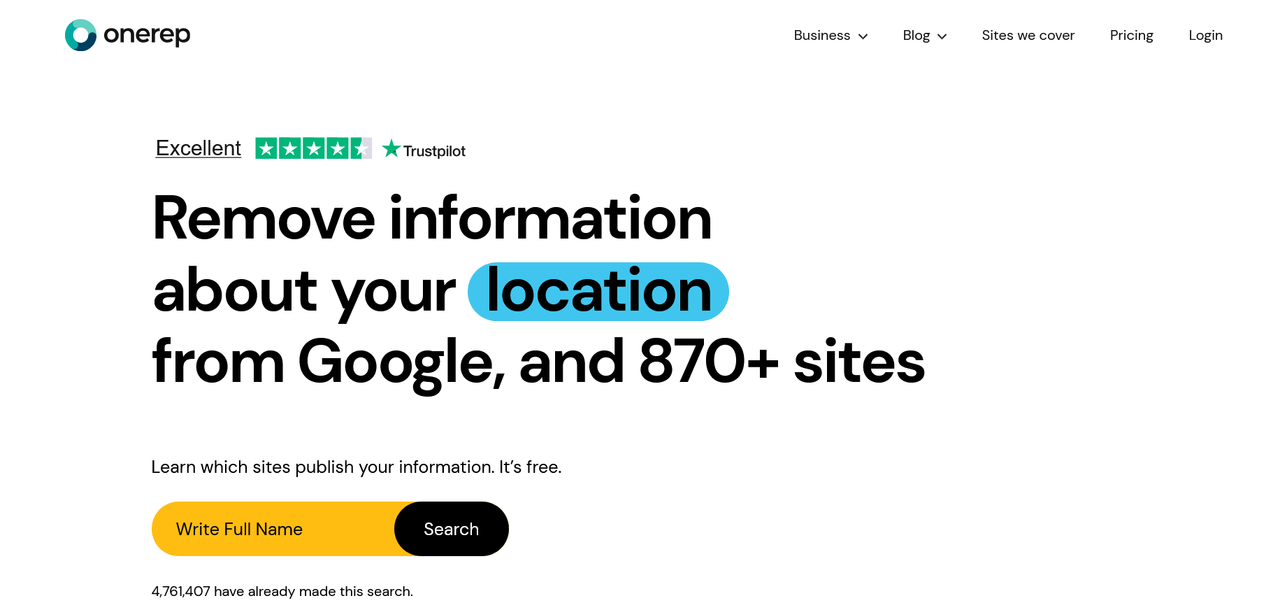
Staying anonymous these days on the internet may seem impossible, given that you’ll have to sign up for one online service or another. It gets worse when some services demand personal information like phone numbers and email addresses, which could be leaked on the web. The infamous people-finder sites curate this public information and let people access it for a fee, posing privacy risks.
The good thing is that you can remove your personal information from people-finder platforms. Data removal services, like OneRep, scan numerous people-finder sites for your data, then send deletion requests wherever your data is found. This service helps protect your privacy on the web.
OneRep is one of many data removal services, and I’ve reviewed it to help you decide if it’s an ideal choice. After extensive testing, I’m diving into its key features, pricing, pros, cons, and other important information to know about it.
OneRep: Plans and pricing
OneRep offers tiered plans: a standard plan and a Pro plan. The core difference is the number of data broker (people-finder) sites covered by each plan. The standard plan scans for your data on 319 public data broker sites, while the Pro plan covers 319 public data broker sites and an additional 559 non-public ones. The Pro plan also provides unlimited custom removal requests, while the standard plan doesn’t.
For the standard plan, you can choose the Individual tier for one person or the Family tier covering six users. The Individual tier costs $15 per month, while the Family tier costs $28 per month. If you pay annually, you’ll get a 47% discount compared to paying month-to-month, bringing the monthly price for the Individual tier down to $8.33, and the Family tier down to $15 per month.
The Pro plan also has Individual and Family tiers. The Individual Pro plan costs $30 per month, while the Family Pro tier (covering six users) costs $56 per month (the 47% annual discount also applies, with pricing reduced to $15.95 and $29.95 per month respectively). As mentioned, the Pro plan covers 316 public data-broker sites and 559 non-public ones that people often don’t see. It also provides access to a dedicated privacy expert, who can send carefully written data deletion requests when automated requests don’t suffice.
OneRep doesn’t offer a free plan, but a 5-day free trial is available for all its paid plans. You can use this free trial period to test the features before making your decision. There’s also a 30-day money-back guarantee after payment. 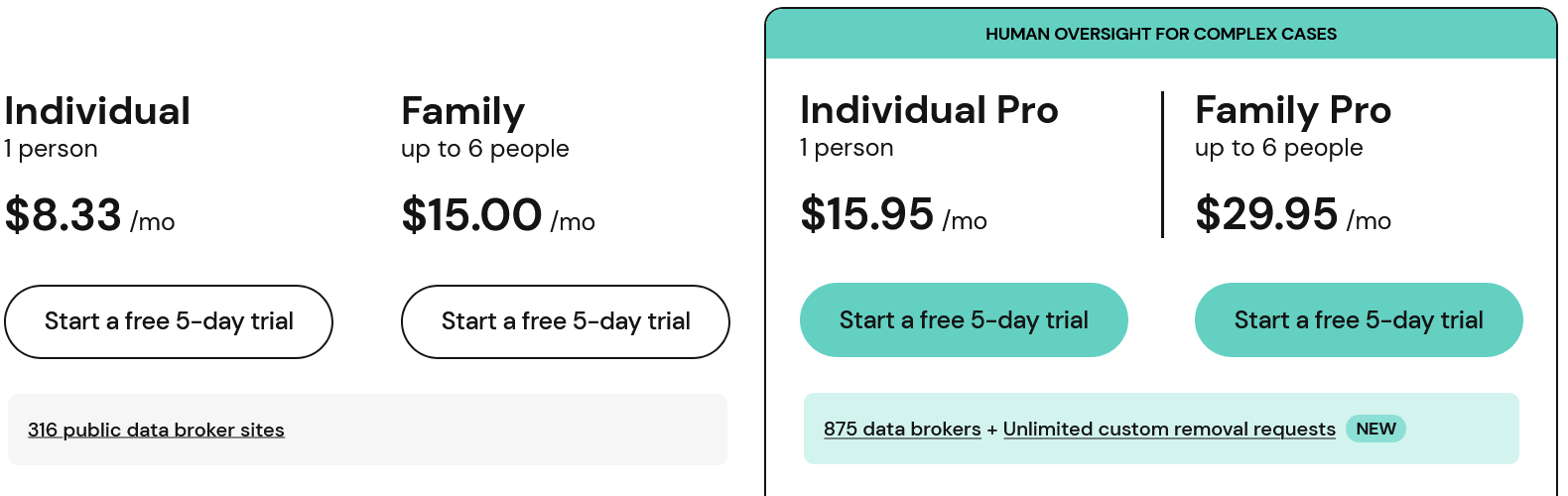
OneRep: Setup
Setting up OneRep is a straightforward journey. Head to the website, select a plan, and proceed to the checkout page. OneRep requires payment details to begin its 5-day free trial, which I consider a bit of a drawback, but this is common with data removal sites. The good thing is that you can cancel the plan within 5 days, and your card won’t be charged. Even if you pay, there’s a 30-day window to request a full refund.
OneRep doesn’t have a free plan, but it does offer a freebie. On the homepage, you can enter your name and city, and OneRep will scan 316 public data-broker sites for your information. 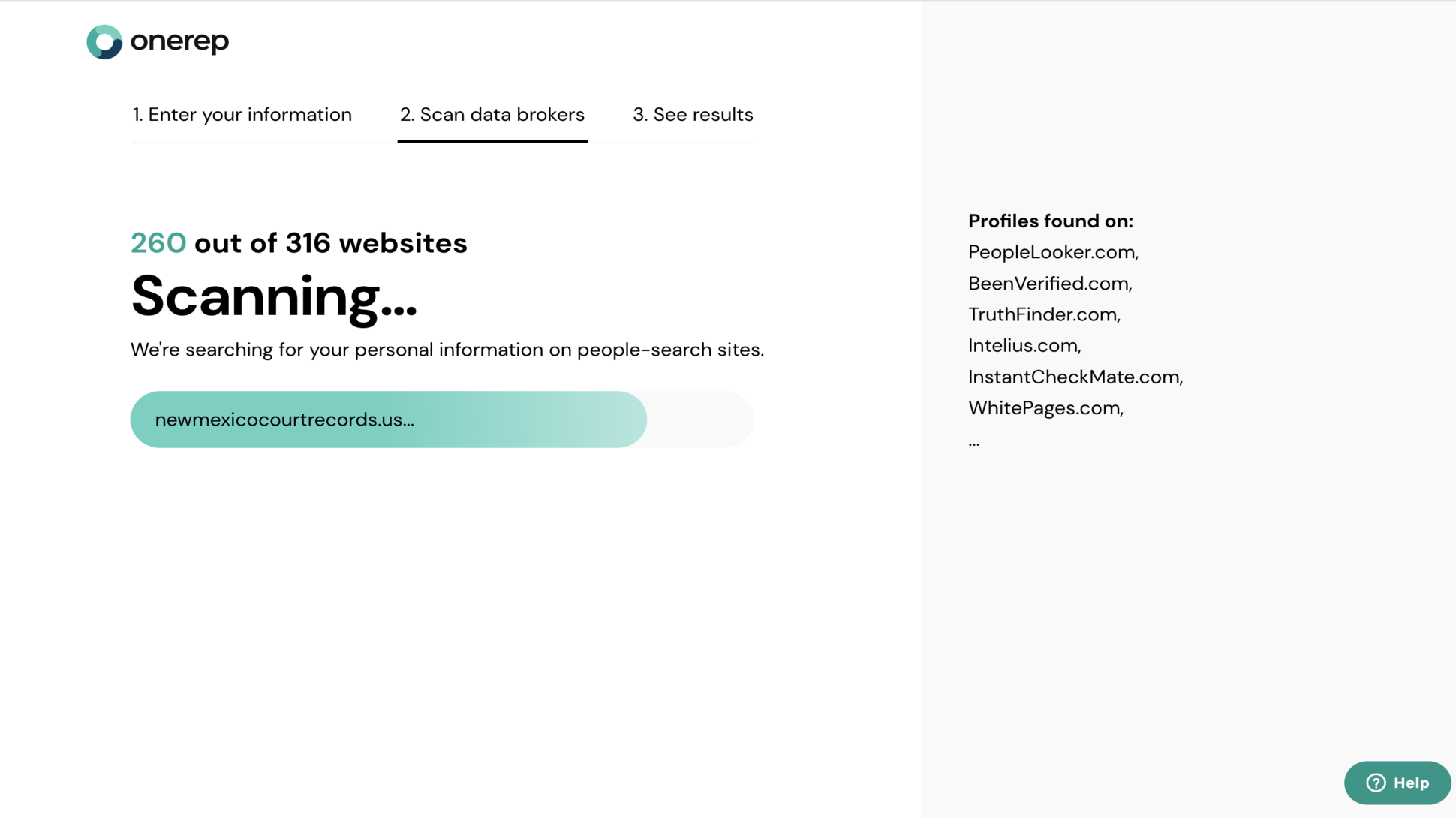
You’ll need to sign up to access the full report, which states how many data-broker sites your personal information was found on.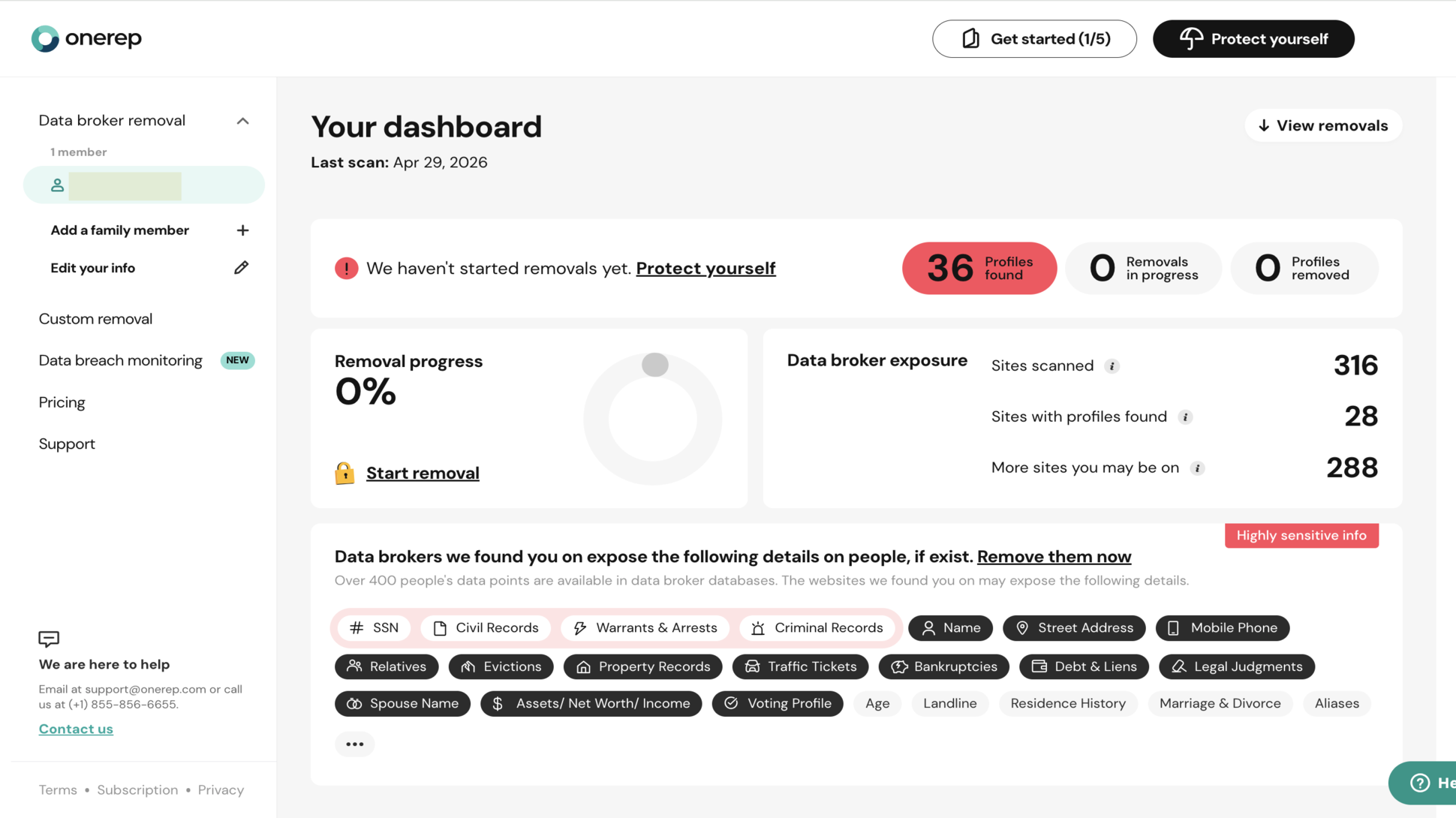
The free scan is the hook OneRep uses to incentivize people to use its data removal services. You can get a detailed report for free, but you’ll need a paid plan for OneRep to send deletion requests on your behalf.
OneRep usually first sends automated deletion requests to sites where your personal data is discovered. If the automated requests don’t work, OneRep’s team drafts legal deletion requests and sends them manually on your behalf.
We’ve mentioned that OneRep covers 316 public data-broker sites on the standard plan and an additional 559 non-public sites on the Pro plan, but there’s more to it. For Pro subscribers, if you find your personal information on a people-finder site not usually covered by OneRep, you can share the link on your dashboard, and a dedicated OneRep expert can draft a custom deletion request for that site. There’s no guarantee that the request will be successful, but it works in many cases.
I like that OneRep doesn’t just offer data-removal services. It also offers a data breach monitoring service, which helps you identify if your email was affected in a known data breach. In my case, I surprisingly discovered that my email address was affected in four data breaches: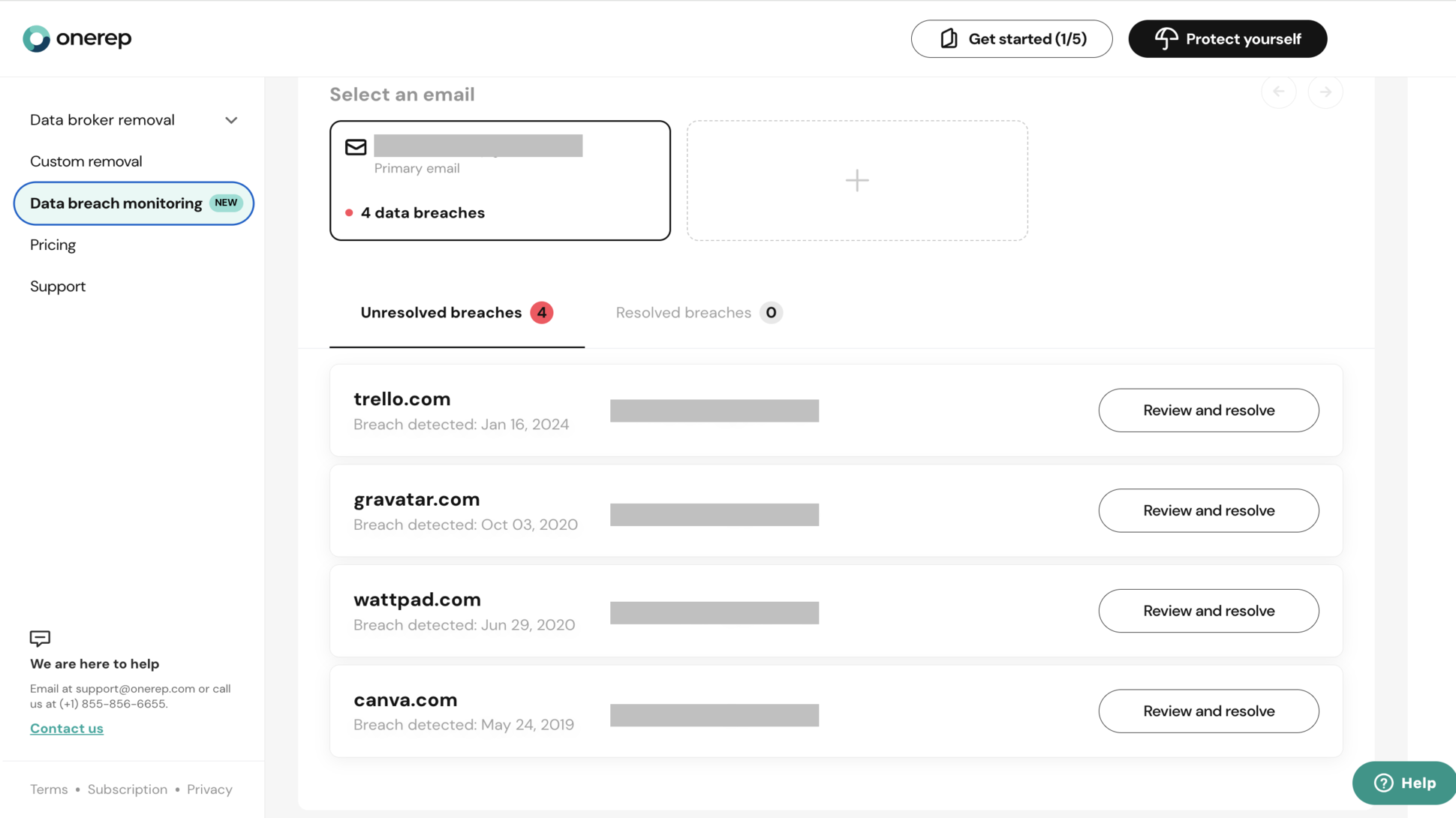
With this discovery, the right step to take was to change the passwords affected in the data breaches. I changed the passwords on both the affected websites and any other websites where I used the same passwords. This way, someone can’t use my breached password to gain unauthorized access to my accounts. As a preventive measure, I always activate two-factor authentication for my accounts, ensuring that people can’t gain access even if they somehow have the right username and password.
OneRep: Ease of use
I found OneRep very easy to use, and I don’t say this lightly. I’ve tested some data removal services that took a long time to get familiar with, but that wasn’t the case with OneRep. From signing up to accessing reports and monitoring deletion requests on my dashboard, everything felt simple.
You can access OneRep from your web browser on a PC or smartphone. There’s no native smartphone app, so a PC provides the best user experience.
OneRep: Security and privacy
OneRep contributes a lot to your online security and privacy. It scrubs your personal information (e.g., names, home addresses, and phone numbers) from people-finder sites and alerts you about data breaches where your email address was affected. The Family plan provides security coverage for both you and five other people.
OneRep doesn’t offer many complementary security features like some rivals. Apart from data removal, data breach monitoring is its core complementary feature, unlike some rivals that also offer a VPN, spam call blocking, identity theft protection, and more. However, OneRep is effective in its core duty of scrubbing and removing personal data from people-finder sites.
OneRep: Support
Users who need help can first visit OneRep’s official support page. On this page, they’ll find detailed answers to frequently asked questions and general guides about OneRep features. This support page proved valuable for me as a first-time user.
If the support page is insufficient, you can contact OneRep via email or telephone. Email tickets get responses within 24 hours, and telephone calls receive instant responses, but are restricted to working hours.
OneRep: Competition
Cloaked is the main OneRep competitor I’d like to highlight. I’ve tested both platforms extensively enough to provide a fair comparison.
Compared to OneRep, Cloaked offers a broader suite of complementary security services, including a VPN, dark web monitoring, and robocall blocking. However, for personal data removal, Cloaked has less coverage than OneRep’s 800+ sites (316 public sites and 559 non-public sites).
I think OneRep is better than Cloaked for core data removal, but Cloaked is better as an all-in-one online security suite.
OneRep: Final verdict
Overall, I’ll recommend OneRep to anyone seeking a reliable data removal platform. You won’t get much outside data removal, but it’s highly effective for this core task. OneRep is a reliable companion that helps protect your privacy online.
Share
What's Your Reaction?
 Like
0
Like
0
 Dislike
0
Dislike
0
 Love
0
Love
0
 Funny
0
Funny
0
 Angry
0
Angry
0
 Sad
0
Sad
0
 Wow
0
Wow
0