
IPVanish just made OpenVPN almost three times faster on Windows — but there's a catch
IPVanish has added OpenVPN Data Channel Offload to its Windows app. Internal tests claim downloads up to 196% faster, but the feature can't be used with Scramble.


- IPVanish added OpenVPN Data Channel Offload (DCO) to its Windows app
- Internal testing recorded download increases of up to 196%
- The feature cannot be used at the same time as OpenVPN Scramble
IPVanish has released a new Windows client built around High-Speed Mode, the provider's implementation of OpenVPN Data Channel Offload (DCO). The company claims the feature lifts OpenVPN download speeds by up to 196%.
OpenVPN remains one of the most widely supported protocols in the industry, prized for its maturity and its ability to work almost anywhere. Its weakness has always been pace, which is why so many of the best VPN services now steer users towards WireGuard by default.
OpenVPN DCO addresses this problem. It moves the heavy lifting of encryption out of the app and into the deepest core of the operating system, cutting latency and easing CPU load without changing the protocol's security.
IPVanish has also swapped its Windows OpenVPN cipher from AES-256-CBC to AES-256-GCM, a change it says trims 32% off the time needed to connect to a server.
OpenVPN DCO remains an exclusive for Windows users. As the provider confirms to TechRadar, "OpenVPN DCO isn't possible on macOS, iOS, or Android. Those operating systems have locked-down kernels."
What IPvanish's High-Speed Mode actually changes, and how to use it
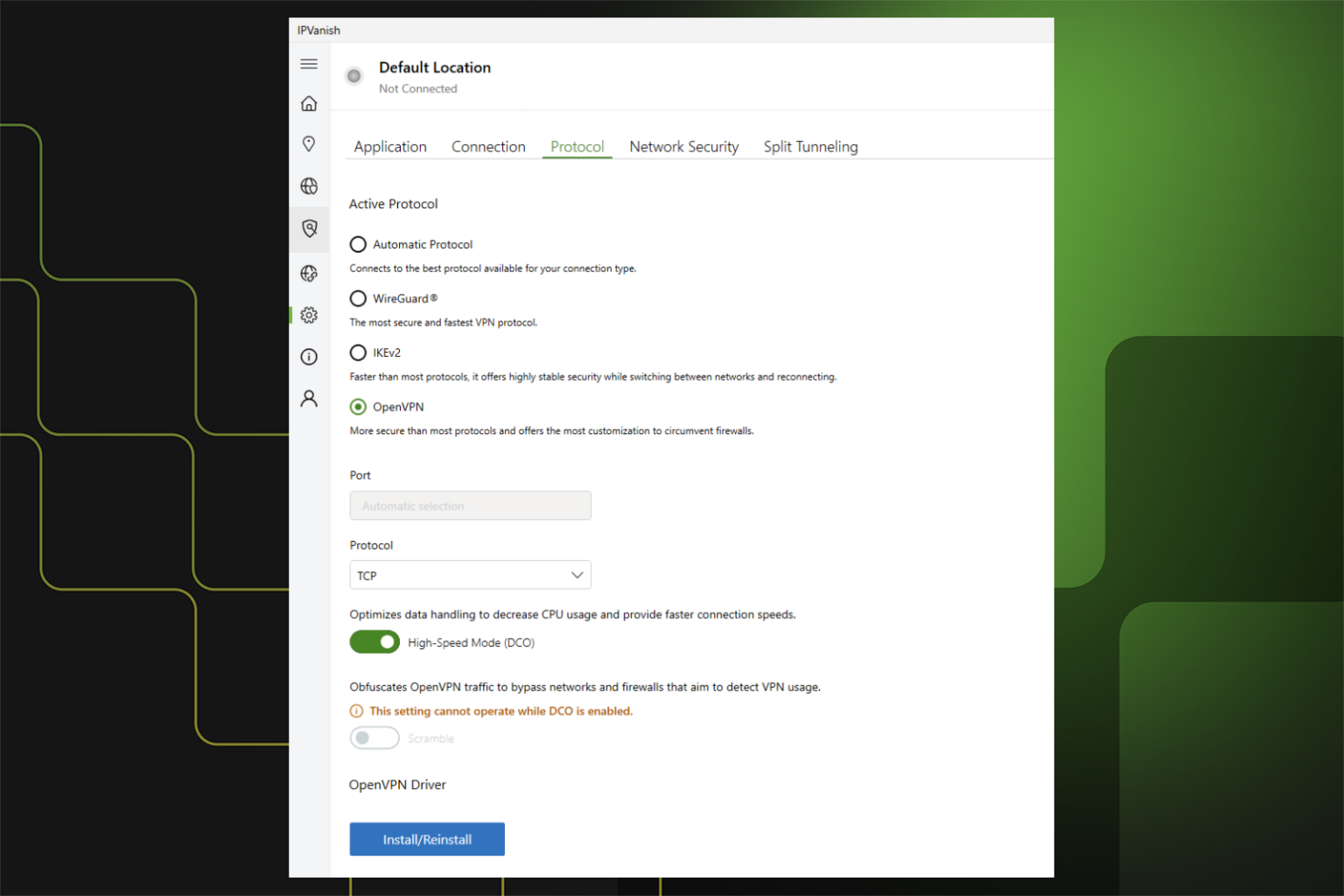
Standard OpenVPN shuttles data back and forth between the VPN app and the operating system. Every one of those handovers costs time. DCO keeps the data channel closer to the Windows networking layer instead, so encrypted traffic moves through the system with fewer stops.
IPVanish tested servers in New York, London, Berlin, and Tokyo, three times a day across three consecutive days. Averaged out, downloads improved by 131% on TCP and 196% on UDP, while uploads rose 34% and 101% respectively.
"IPVanish is already known for offering fast VPN speeds, and today we're raising the bar for Windows OpenVPN," said Subbu Sthanu, General Manager, Consumer Cybersecurity at IPVanish, adding that streamers, gamers, and remote workers should all feel the difference.
You can turn the feature on by updating your Windows app and going to the OpenVPN protocol in the Settings tab.
One catch is that High-Speed Mode is not compatible with OpenVPN Scramble — IPVanish's obfuscation feature that disguises your VPN traffic to slip past networks that block it. Turn one on, and you lose the other. For anyone connecting from a school, an office, or a country that filters VPNs, Scramble is probably the more important feature.
Which other VPNs offer OpenVPN DCO
ExpressVPN was among the first providers to unveil OpenVPN DCO in March 2025, claiming a 2,000% jump in UDP performance. Windscribe also added DCO on Windows at the same time, recently extending it to Linux, too.
Norton VPN followed in September 2025, citing doubled speeds and 15% lower latency.
Surfshark, NordVPN, and PrivadoVPN all ship a DCO adapter in their Windows clients, too. It's still a short list, with most providers betting on WireGuard instead.
Share
What's Your Reaction?
 Like
0
Like
0
 Dislike
0
Dislike
0
 Love
0
Love
0
 Funny
0
Funny
0
 Angry
0
Angry
0
 Sad
0
Sad
0
 Wow
0
Wow
0